Bikin FinFeatures
Connected apps
Connect Bikin Fin to BIKIN AI and BIKIN SIGHT so they can read your finance summary numbers, never bank account numbers, NPWPs or attachments.
Connected apps lets other BIKIN apps read your finance summaries from Bikin Fin. Connect once, with no exports or manual reports. This feature is available if your plan includes connected BIKIN apps.
Apps that can connect
| App | What it does |
|---|---|
| BIKIN AI | You can ask about cash, profit, receivables, bills, tax and budgets from a BIKIN AI chat |
| BIKIN SIGHT | The executive dashboard shows finance cards from Bikin Fin |
Connecting
The connection starts from the app that wants to read the data, not from Bikin Fin.
- Open BIKIN AI or BIKIN SIGHT, then pick Bikin Fin in its connections menu.
- You are taken to the Bikin Fin sign-in page. Sign in if you haven't, and enter an email code if asked.
- The Connect page explains what can be read, which companies, and what is never shared.
- Choose Allow, or Decline if you change your mind.
Only the Owner or a Finance manager can allow it. Other roles see an explanation and go back to the app.
What is shared and what isn't
Connected apps only read summary numbers: cash position, profit and loss, balance sheet, cash forecast, receivables and payables ageing, tax calendar, budgets, and the number of requests waiting for approval. A connection can't record, change, pay or file anything.
What never leaves Bikin Fin through a connection:
- NPWPs and NIBs of the company or its contacts,
- bank account numbers and account holder names,
- contact emails, phone numbers and addresses,
- journal lines, notes, attachments, receipts and invoice links,
- passwords and anything about signing in.
Customer or vendor names only appear as the list of largest customers or vendors in receivables and payables ageing.
What the app sees follows the role of the person who allowed it, and is checked again every time it reads. If the plan ends and this feature is no longer included, the connection stops reading.
Several companies
One connection covers your Bikin Fin account. If your account has several companies, the connected app reads one company at a time, limited to the companies the person who allowed it can open.
Seeing and disconnecting
Open Settings › Account (Settings is in the sidebar, Data group), then scroll to the Connected apps card. It lists each connected app, who connected it and when it was last used. If there are none yet, the card explains how to connect one. The owner sees every connection; a finance manager sees their own.
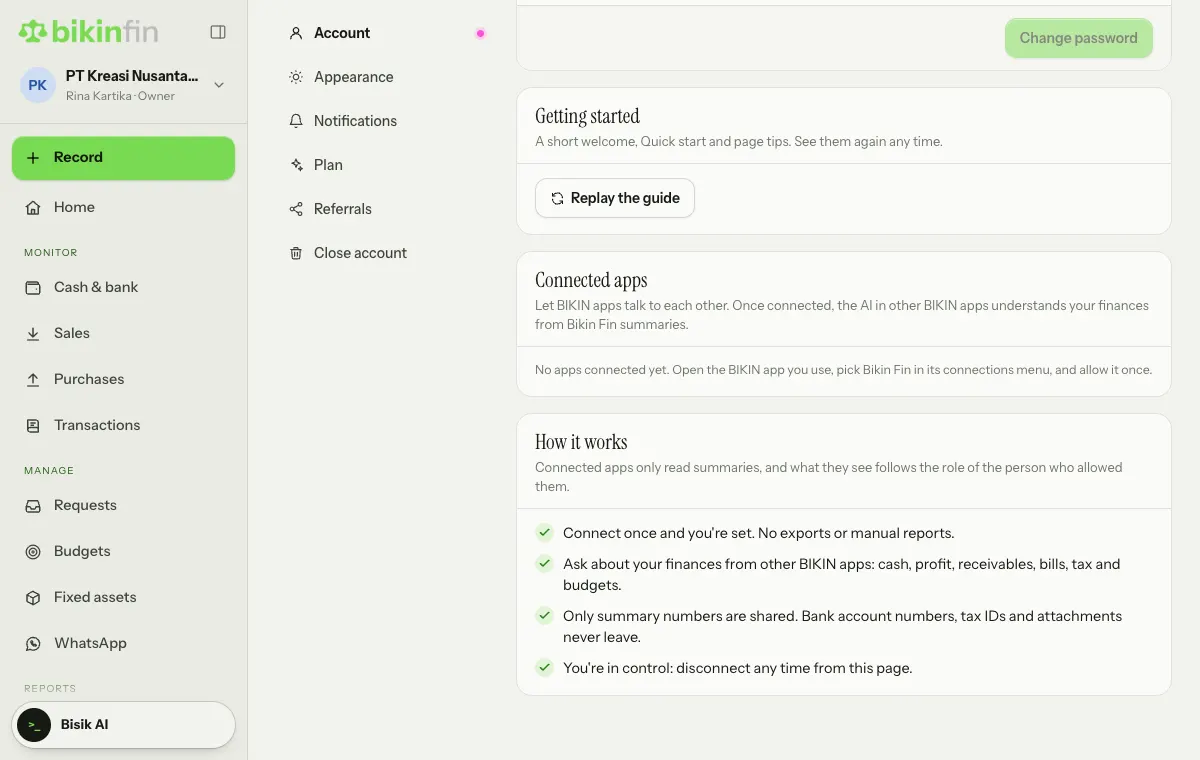
Choose Disconnect on an app to end its connection. The app stops reading right away, and you can connect it again any time from the app. Closing your Bikin Fin account disconnects everything.
If it says "BIKIN has turned app connections off for now", this feature is temporarily unavailable.
Last updated: