BIKIN FILEFeatures
Connected apps
Connect BIKIN FILE to BIKIN AI and BIKIN SIGHT so they can read the file details of your space, without file contents, share links, the Trash, other members' My files or identity numbers.
Connected apps lets other BIKIN apps read file details from BIKIN FILE. Connect once, with no exports or file lists to send by hand. It's available when your plan includes the BIKIN AI and SIGHT connector; if it doesn't, this section and the approval page show an invitation to upgrade.
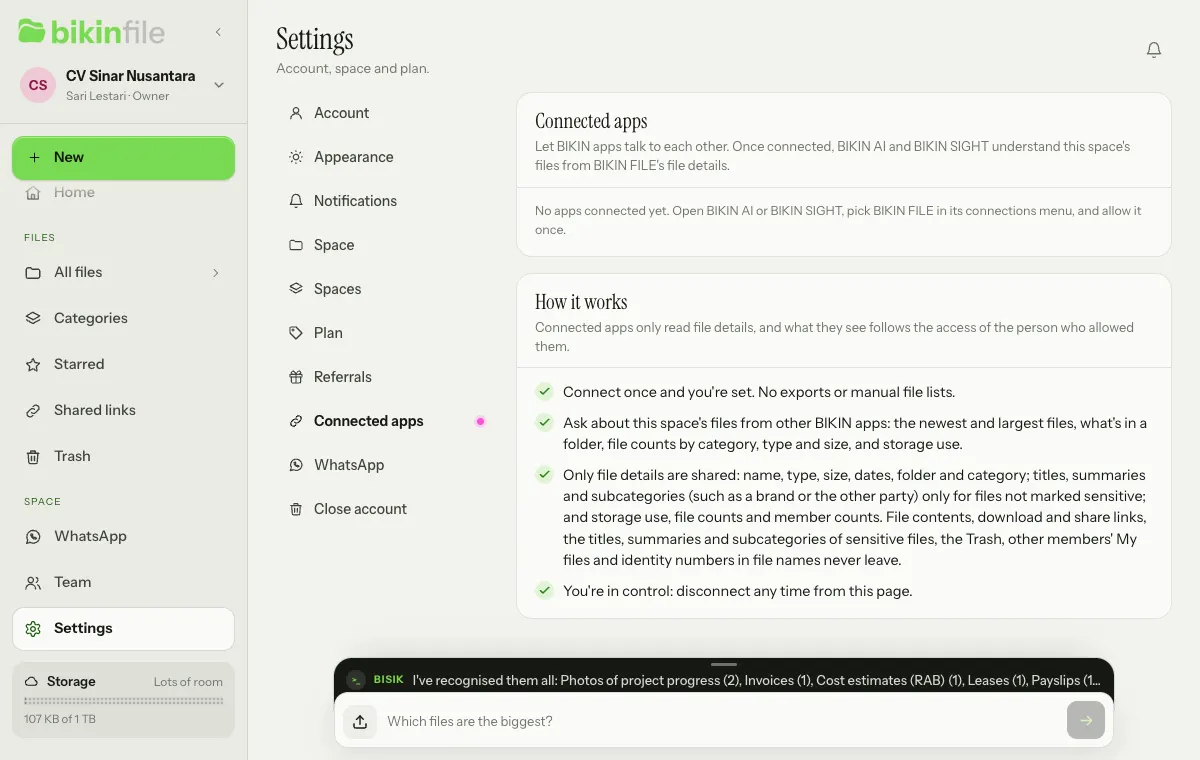
Apps that can connect
| App | What it does |
|---|---|
| BIKIN AI | Ask from a BIKIN AI chat about your newest and largest files, what's in a folder, file counts by category, type and size, and storage use |
| BIKIN SIGHT | The executive dashboard can connect to BIKIN FILE alongside other BIKIN apps |
Connecting
The connection starts from the app that wants to read the data, not from BIKIN FILE.
- Open BIKIN AI (Settings › Connectors) or BIKIN SIGHT, then pick BIKIN FILE in its list of connections.
- Sign in to BIKIN FILE if you haven't.
- The Connect page explains what can be read and what is never shared. When asked, choose Send a code to allow and enter the code from your email.
- Choose Allow, or Decline if you change your mind.
Only an owner or admin can connect an app; members and viewers see Can't connect. What it sees follows the access of the person who allowed it: Shared files and that person's own My files. A connection belongs to the space where that person's account was created, so the owner of a group connects the main space, and an added space is connected by an owner or admin whose account was created in that space.
What is shared and what isn't
Connected apps only read file details: each file's name, type, size, dates, folder and category; the titles, summaries and subcategories (including a brand or the other party, such as Logos & brand › Sumrize) of files that aren't marked sensitive, following the subcategory names set in your space; storage use in words with file counts by category, type and size; and the number of active members by role. A connection can't upload, move, rename, share, trash or delete anything.
What never leaves through a connection:
- file contents, their preview images and download links,
- share links, short links and their passwords, or whether a file is shared,
- the title, summary, topics and subcategory of sensitive files, such as identity and health documents,
- the Trash and other members' My files,
- identity numbers in file names, such as ID card, tax ID and bank account numbers, which are masked as •••,
- who uploaded a file, and anyone's email or sign-in details,
- the plan's limits as numbers.
Disconnecting
Open Settings › Connected apps. Choose Disconnect and confirm, or disconnect from the connected app. The owner sees every connection of the space; an admin sees their own.
A connection also ends by itself when the person who allowed it is switched off, stops being an owner or admin, or changes their password. Closing your BIKIN FILE account or removing an added space disconnects its connections.
Last updated: