BIKIN WARUNGFeatures
Reports
Sales by period in Summary, best-selling Items, sales by Cashier and Busy hours, with an estimated profit, CSV export and a printed report.
The Reports menu shows sales by period. There are four tabs: Summary, Items, Cashiers and Busy hours. Pick the period: Today, Last 7 days, Last 30 days, This month, Last month or Pick dates.
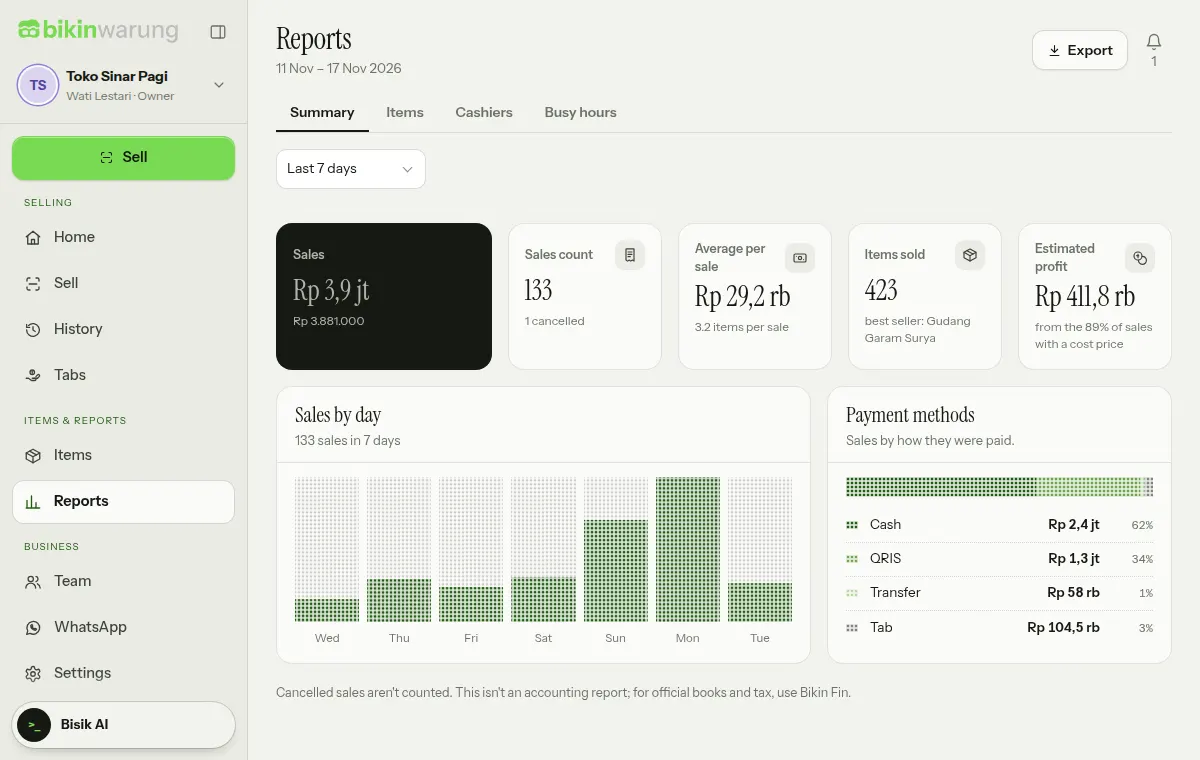
Summary
The Summary opens with one large card and four small ones:
- Sales: the total sales in the period. When there are discounts, the note shows the amount before discounts and the discounts.
- Sales count: the number of sales, with the cancelled ones.
- Average per sale: the average basket, with the number of items per sale.
- Items sold: how many items went out, with the best seller.
- Estimated profit: sales minus cost prices, only for items that have a cost price. For roles that don't see profit, this card becomes Busiest day.
Below them are the Sales by day and Payment methods charts (Cash, QRIS, Transfer and Tab).
Items, Cashiers and Busy hours
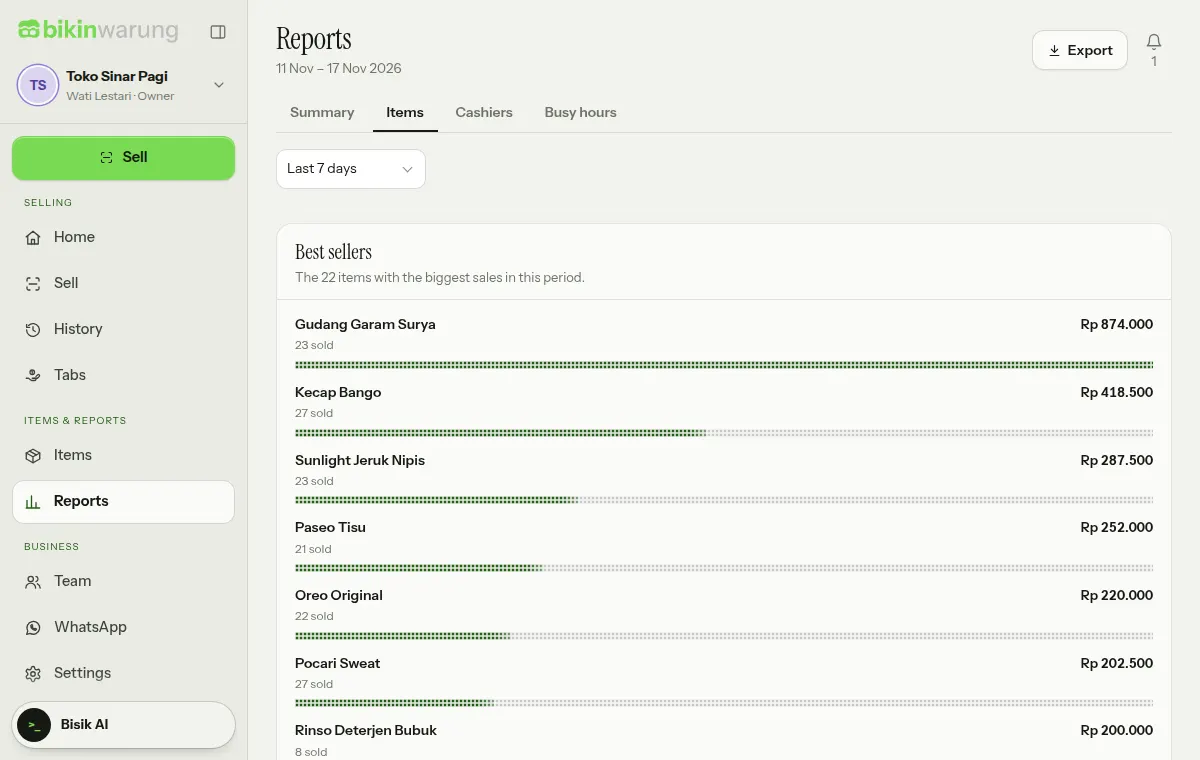
- Items: the items with the biggest sales in the period, with how many sold and their value.
- Cashiers: who served, how many sales, and how much.
- Busy hours: sales by hour, so you know when to add staff or stock.
Export and print
Choose Export at the top of the page:
- Download CSV: Sales (per item line), Best sellers or By day, to open in Excel. CSV export asks for the code from your email and is logged.
- Print report to print the summary for that period.
Plans and roles
On the free plan, Reports cover Today and the Last 7 days. Other periods, the Busy hours tab, the profit estimate and CSV export are on paid plans; they all stay visible, locked with an Upgrade mark.
Reports can be opened by owners, admins, managers and viewers. The profit estimate, cost prices and CSV export are for owners, admins and viewers only. Cashiers don't open Reports.
These reports aren't accounting reports. For formal bookkeeping and tax, use Bikin Fin.
Last updated: