BIKIN KASFeatures
Cashbook
Every money-in, money-out and transfer record by day: search, pick a period, filter by pocket and category, open the details, edit, delete, restore from Deleted, and export to CSV.
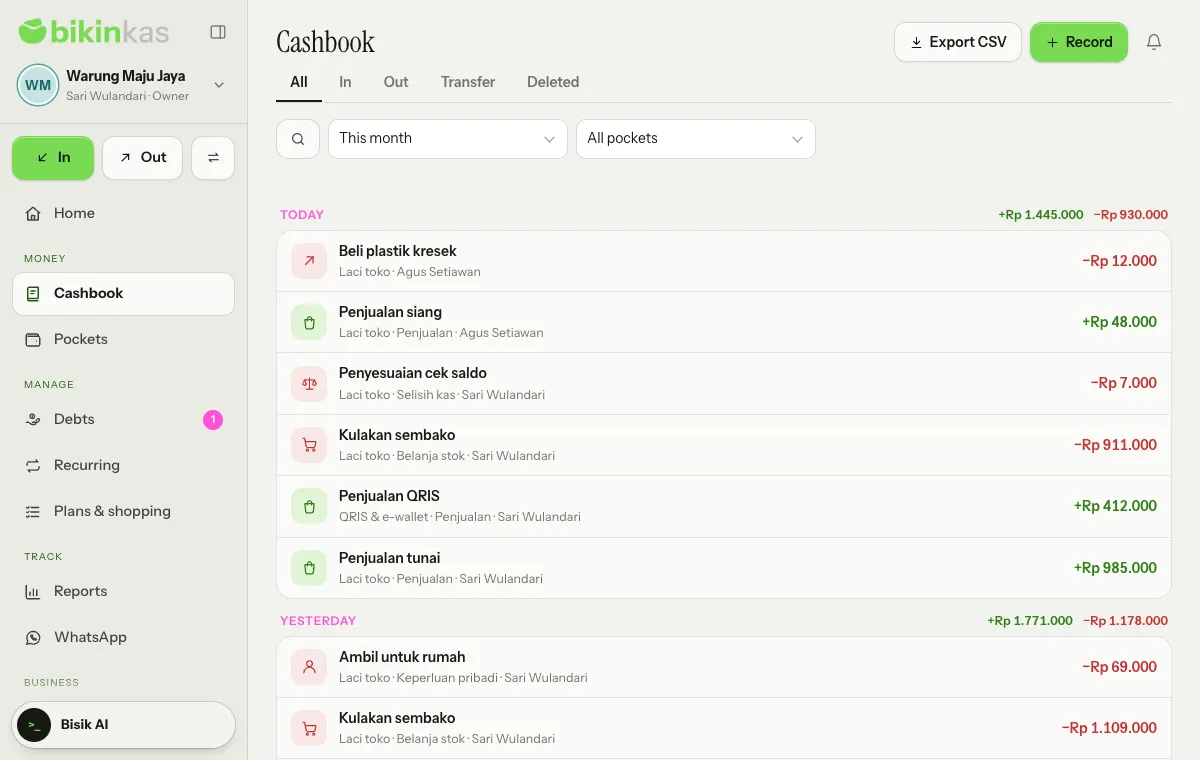
The Cashbook menu holds every record, newest first, grouped by day with that day's money in and out.
Searching and filtering
- Tabs: All, In, Out, Transfer and Deleted (for people who manage records).
- Search: tap the magnifier and the field widens to the full row. Type a word from the note; the × button closes and clears it.
- Period: Today, 7 days, This month, Last month or All time.
- Filter: the picker that reads All pockets opens Filter records. Pick a Pocket and a Category, then Apply; Clear filters resets them. The picker shows what's applied, such as "Laci toko · Belanja stok".
Records not yet sent from this device come first under Not sent yet, on a striped background.
Record details
Tap a record to open its details: the amount, Date, Pocket (or From and To for transfers), Category, Recorded by, and Source when it was made elsewhere, such as From an AI receipt scan, From a recurring record, From a shopping list, From a plan, From savings, From WhatsApp or Balance check adjustment.
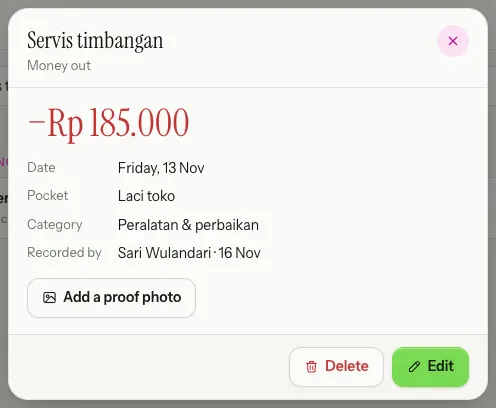
- Edit opens the same record sheet. The record type (money in, money out or transfer) can't be changed.
- Add a proof photo attaches a receipt photo; an existing photo can be swapped with Replace photo or removed with Remove.
- Change history shows what was changed, by whom and when.
- Delete moves the record to the Deleted tab for 30 days, and balances adjust.
Deleted and Restore
The Deleted tab holds records deleted in the last 30 days. Records here don't count towards balances. Open one and choose Restore to bring it back. After 30 days a record is removed for good, together with its photo.
Who can do what
- Owners, admins and bookkeepers see every record in their pockets, and can edit, delete and restore.
- Cashiers only see their own records for today, and can fix them on the same day.
- Viewers can only look.
- Records dated on or before a lock date can't be edited or deleted until the lock is lifted.
CSV export
The Export CSV button in the page header downloads the records of the chosen period (All time exports this month). Exports ask for a code from your email, are logged, and are on plans with the CSV export feature. See also Reports.
Last updated: