BIKIN KASFeatures
Recurring records
Save the money in and out that keeps coming, such as rent, wages, electricity, instalments or dues, with its schedule. You're reminded when it's due, then just Record now or Skip.
The Recurring menu saves records that keep coming, with their schedule. Recurring records never record themselves: you're reminded when one is due, then you tap Record now.
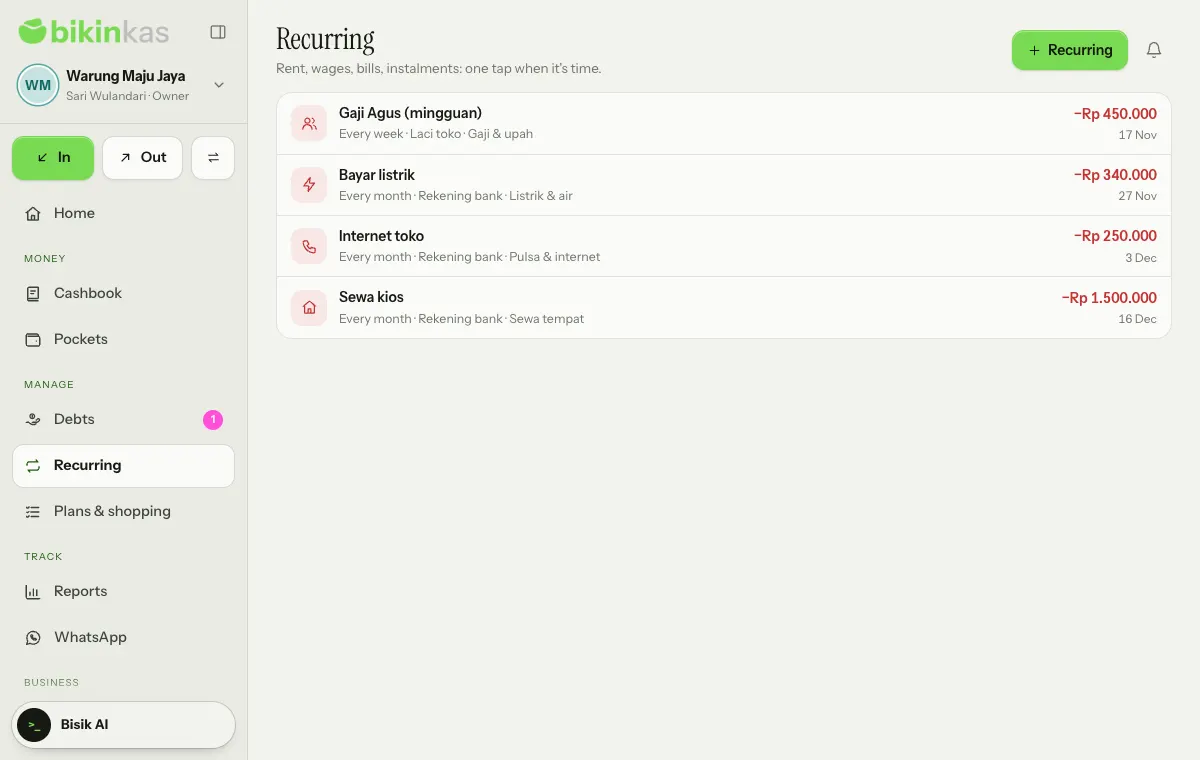
Adding a recurring record
- Choose Recurring (New on phones) in the page header.
- Choose Money out or Money in.
- Fill in the Name, Amount, the pocket (From pocket or Into pocket) and the Category.
- Pick Comes every: Every day, Every week, Every month or Every year.
- Fill in Starting on, then choose Save.
While the page is still empty, BIKIN KAS suggests records that are common for businesses like yours, such as Electricity bill, Rent and Internet for a small shop. Tap one to open a filled-in form.
When one is due
Due records are marked on this page, under To do on Home, and in the bell:
- Record now opens the record sheet already filled with the name, amount, pocket and category. Adjust the amount if it's different this time, then choose Save. The next date moves forward by itself.
- Skip skips one date without recording anything.
Editing, pausing and deleting
Tap a recurring record to edit it. Next due on sets when it comes again, and the Active (switch off to pause) switch pauses it without deleting it; paused records are marked Paused. Delete removes the schedule, while records already made from it stay in the Cashbook.
Owners, admins and bookkeepers manage recurring records; viewers can only look. The number of recurring records follows your plan.
Last updated: