Bikin HRFeatures
Schedules & attendance
Create shifts and weekly patterns, set public holidays and shift swaps, then follow daily attendance and monthly recaps in Bikin HR.
Schedules say when someone should be working. From them Bikin HR works out lateness, early leaving, absences and overtime candidates. Without schedules, workdays are taken as Monday–Friday and lateness isn't counted yet.
The Schedule menu (left sidebar, PEOPLE group) is visible to the Owner, HR admins and Managers (for their team).
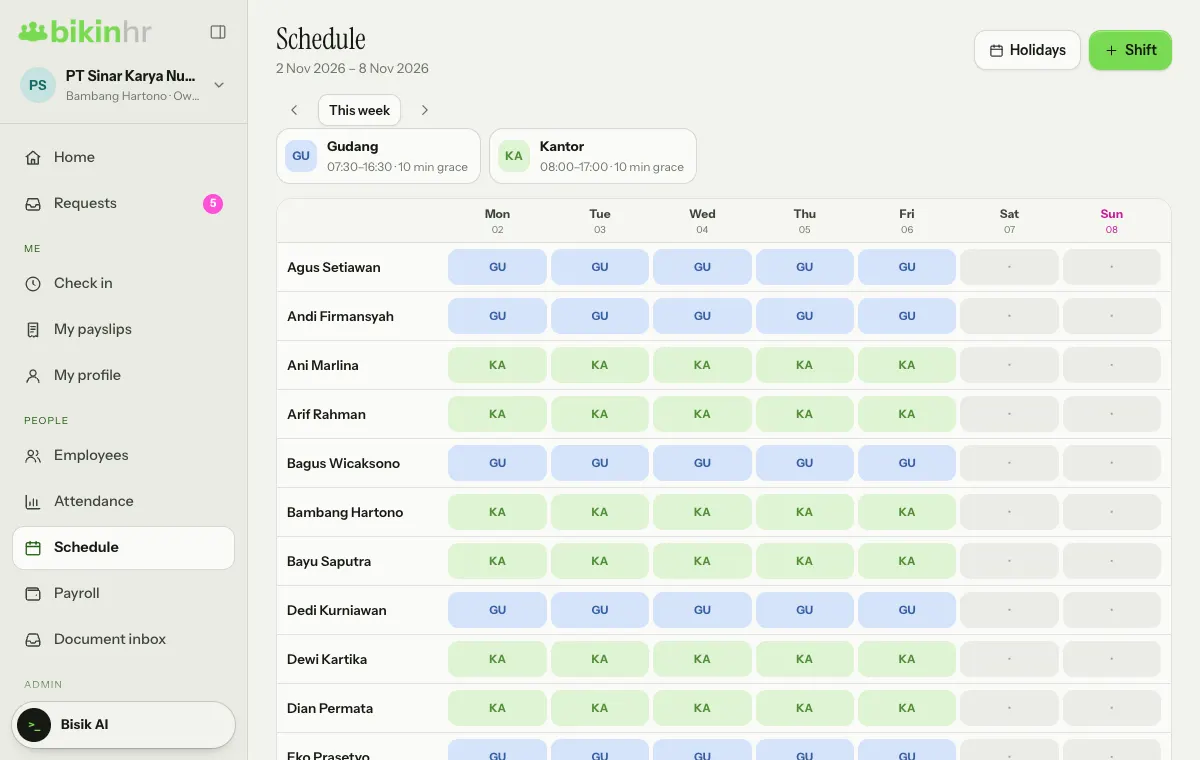
Create a shift
- Open Schedule and press + Shift at the top right. If there are no shifts yet, press Create a shift in the middle of the page.
- In the New shift window, fill in the Name (for example Morning), Start, End, Late grace (min) and Break (min), then pick a Colour.
- Press Save.
Examples: Morning 08:00–17:00 or Night 22:00–06:00. When the end time is earlier than the start time, the shift runs past midnight: it ends the next day, and an early-morning check-out counts toward the start date.
Lateness counts from the start time once the grace period has passed. Leaving more than 30 minutes after the shift is flagged as an overtime candidate.
Shifts you create appear as cards above the grid, with their hours and grace period. Tap a card to edit or delete the shift; days using a deleted shift become days off.
Fill in the schedule
The grid shows one week (Monday–Sunday) per employee. Move between weeks with the left arrow (Previous week) and the right arrow (Next week), or jump back to the current week with This week.
- Tap one employee's box on one day.
- Choose a shift, or Off.
- Under Applies to, choose This date only (the default) for a one-date change, or Every that weekday (for example Every Monday) to change the weekly pattern. Press Save.
A box with a magenta underline is changed for that date only. To return to the weekly pattern, open that box and press Use pattern.
Public holidays
Press Holidays at the top right to add the company's Public holidays: the date and the Holiday name, then add it. That day is off for everyone, unless someone is scheduled for that date specifically. Tick Collective leave if it is a collective leave day; when the company policy turns it on, collective leave uses annual leave. Public holidays are marked ★ on the schedule.
Shift swaps
Employees can swap shifts themselves from the Check in menu:
- The requester presses Swap shift on the Next 7 days card, picks the Date (one of their shifts this week) and a Colleague, adds a Note if needed, then presses Send request.
- The colleague sees the request in their own Check in menu and presses Accept or Decline.
- The requester's manager (or the Owner/an HR admin) presses Approve in Attendance › Swaps.
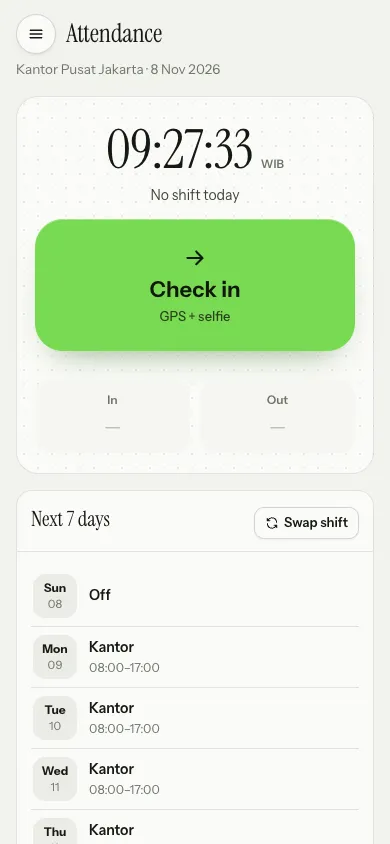
The schedule for that date only changes once it is approved.
Attendance
The Attendance menu (left sidebar, PEOPLE group) is visible to the Owner, HR admins, Finance (everyone) and Managers (their team).
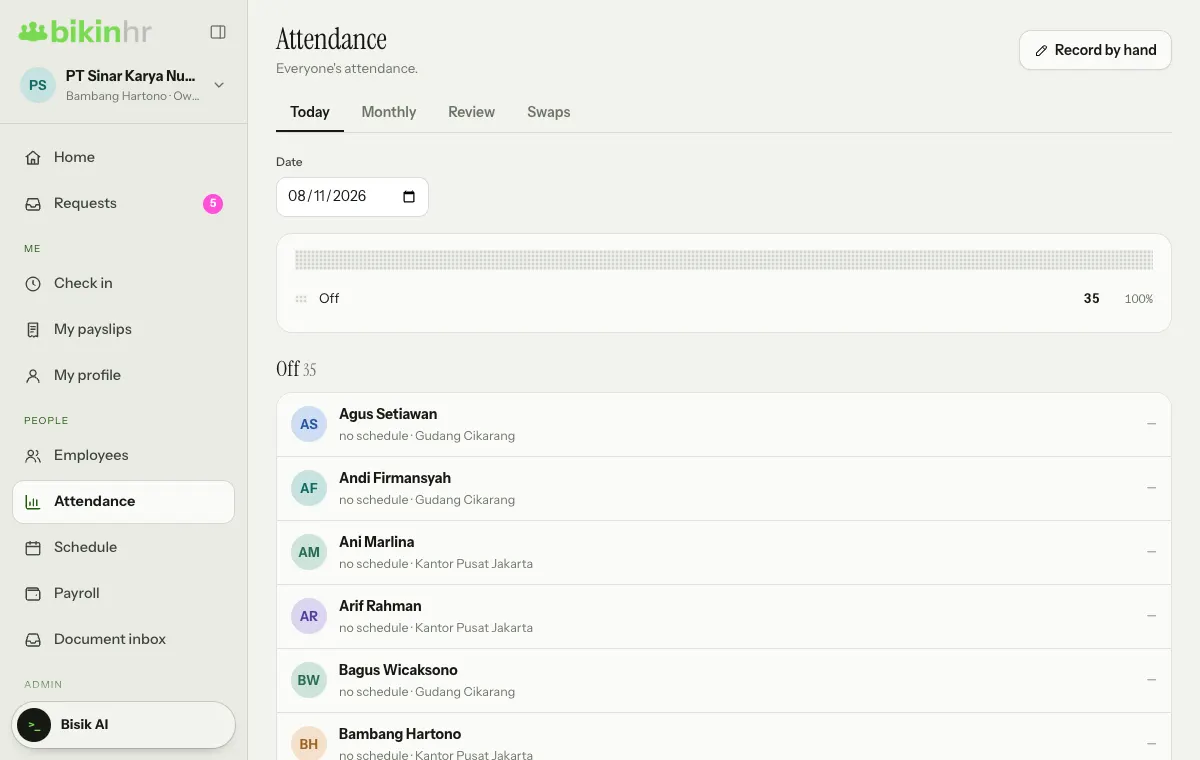
The page has four tabs:
| Tab | What's in it |
|---|---|
| Today | The daily board: Present, Late, Not in yet, Absent, Field, Leave, Permission, Sick, Off. One dot on the bar = 1% of employees |
| Monthly | Per employee per month: days present, lateness, early leaving, leave/permission/sick days and overtime candidates |
| Review | Offline, out-of-radius or uncertain-face check-ins, with Accept or Reject |
| Swaps | Shift swap requests waiting for approval |
Approved leave, permission and sick days show on the board and the recap, and those days don't count as absences.
If your plan includes exports, the CSV button on the recap downloads that month's attendance recap.
Record by hand (top right) is for a forgotten check-in or a broken device; the reason is required and logged. See Check-in.
Home shows Often late this week (last 7 days) and Away today, so you don't need to open the recap every day. You can also ask Bisik "who has often been late this week?".
Overtime from attendance
Leaving more than 30 minutes after a shift shows up as an overtime candidate. Employees can pick it when requesting overtime (From attendance), and their manager approves it. See Requests.
Last updated: