BIKIN BOOKINGAccount & plan
Roles & access
The five BIKIN BOOKING roles (owner, admin, front desk, finance, staff), what each can do, how to invite your team, and the log of important actions.
Every team member has one role. Roles are checked on the server for every request, so what someone may not see can't be opened through a direct address either.
Five roles
| Role | Can |
|---|---|
| Owner | Everything, including the plan, online payment, the balance, booking capture and Close account |
| Admin | Everything except the plan and Close account |
| Front desk | Calendar, bookings, customers, payments, blocking time and messages |
| Finance | Payments, refunds, reports and cost prices; bookings are view-only |
| Staff | The schedule linked to their account, checking in and marking done; no prices or payments |
The owner can let staff see prices and payments with the Prices for staff card in Settings › Payment details. Cost prices and gross profit are only seen by owners, admins and finance; front desk and staff never see them, even with Prices for staff on.
With several businesses, the plan, referrals and removing an added business are for the owner of the main business only; the owner of an added business manages everything else in that business, including online payment and its balance.
Inviting your team
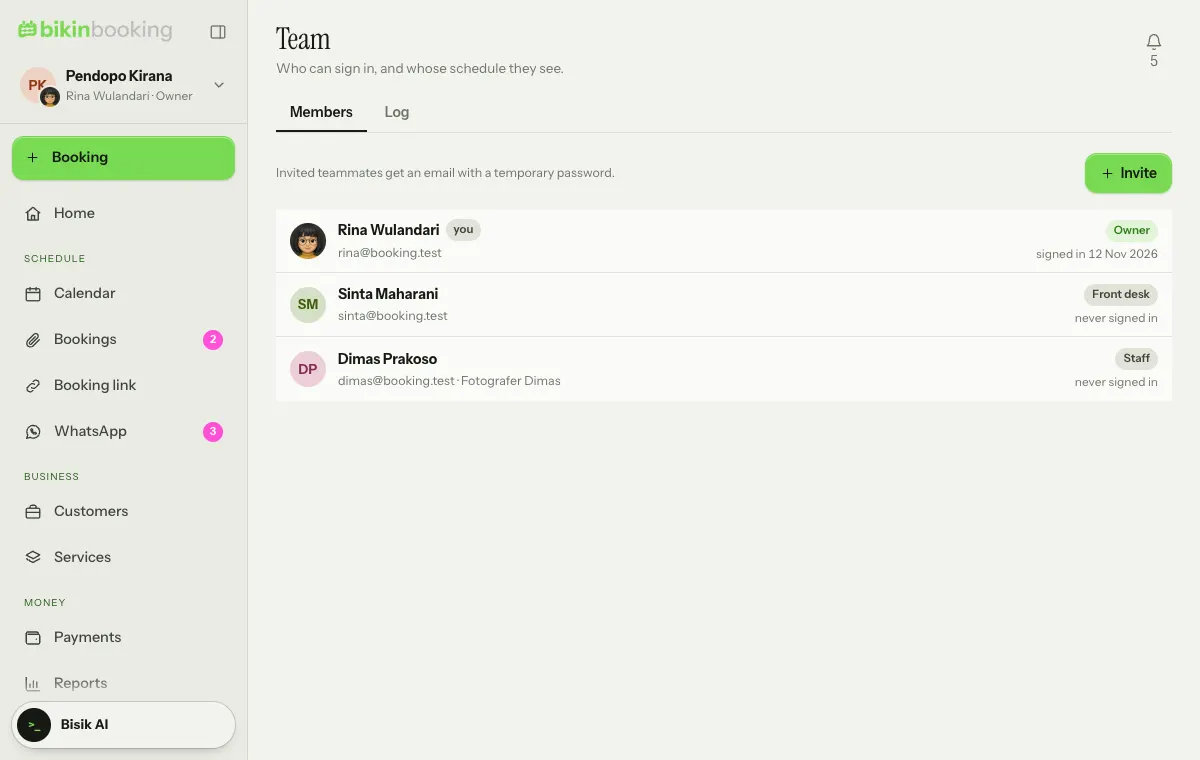
The owner and admins invite teammates from Team:
- On the Members tab, choose Invite, then fill in the name, email and Role.
- For staff, pick This person's schedule, such as a photographer or doctor, so they see their own schedule.
- Leave Email an invitation on. Your teammate gets an email with a temporary password.
Only the owner changes owner and admin accounts. Changing a role asks for a code from your email. The number of team members follows your plan.
Log
The Log tab records role changes, cancelled bookings, deletions and removed payments, with who and when.
Last updated: