BIKIN BOOKINGFeatures
Customers
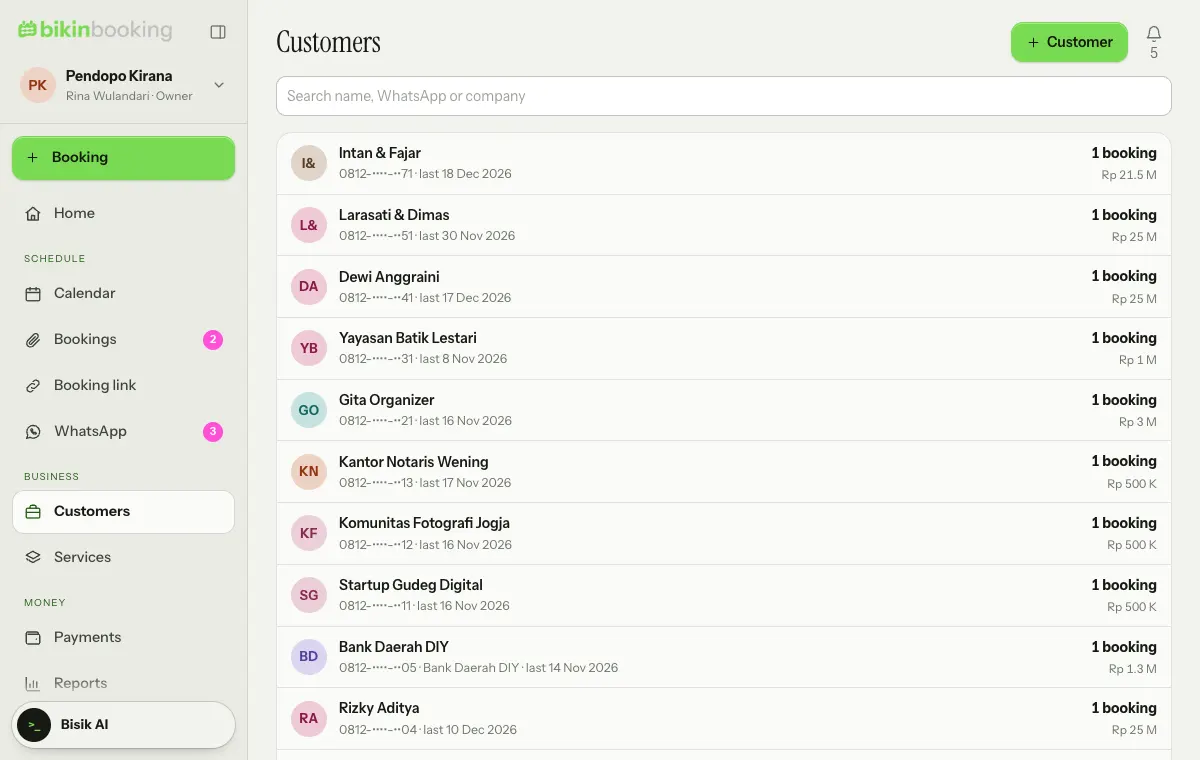
The customer list that fills itself from every booking, customer details and booking history, statements of bills, and registered customers for WhatsApp.
Customers holds every customer of your business. Customers are saved by themselves when you make a booking or when someone books through the booking link, and you can also add them with + Customer.
Customer details
Tap a customer to see their contact details, company, address, since when they've been a customer, all their bookings and their activity. From there you can:
- Edit the customer,
- make a new Booking with the customer filled in,
- open the Statement of bills: every open bill of one customer in one document, handy for corporate customers,
- Delete customer, only when they have no bookings.
Registered customers and WhatsApp
The customer list is the list of registered contacts for WhatsApp. BIKIN BOOKING only sends to and receives from customer numbers listed here; other numbers are never stored or shown. See WhatsApp & capture.
Who sees it
The owner, admins, front desk and finance see the customer list. Staff don't; they only see the schedule linked to their account (see Roles & access). Phone numbers are masked in the list.
Last updated: