BIKIN BOOKINGFeatures
Calendar
See every booking by month, week, day per stock item or team member, or agenda, book from a free slot, and block time for holidays or maintenance.
The Calendar shows every booking and every blocked time. A card's colour shows the booking status, such as waiting for the deposit or confirmed, not the type of service.
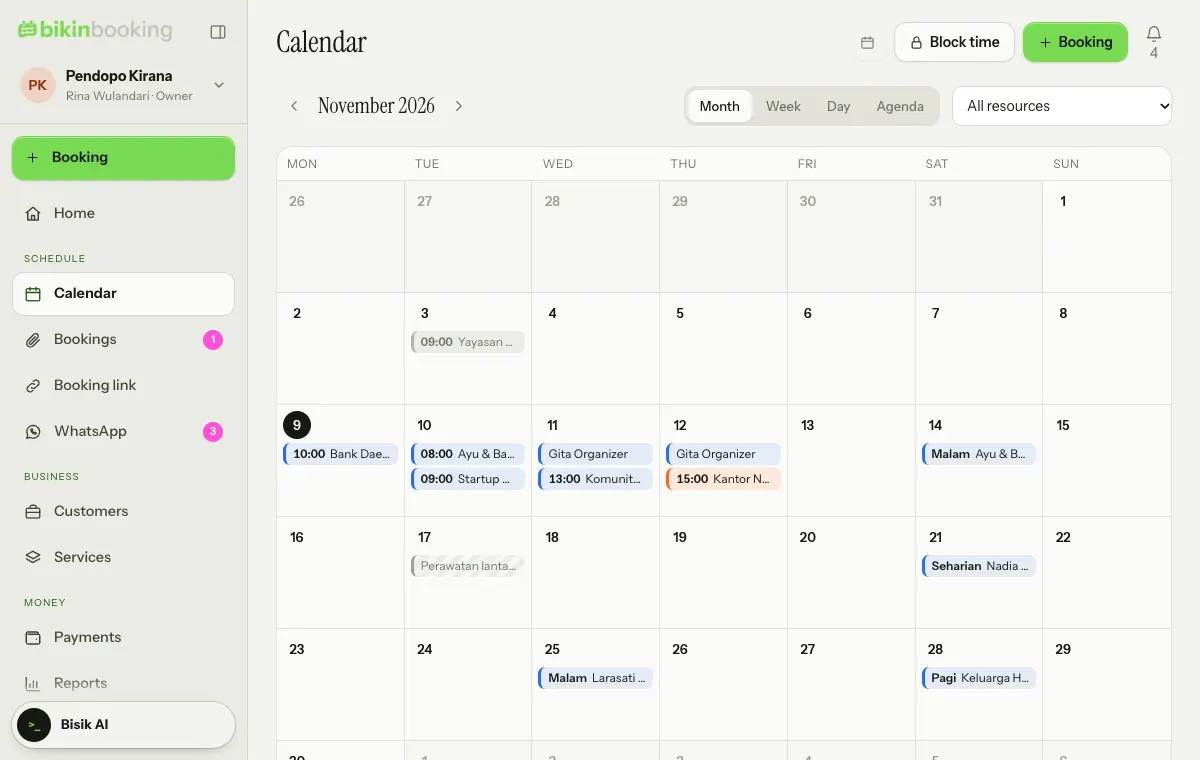
Four views
| View | Good for |
|---|---|
| Month | Seeing which dates are taken and which are still free |
| Week | Planning this week day by day |
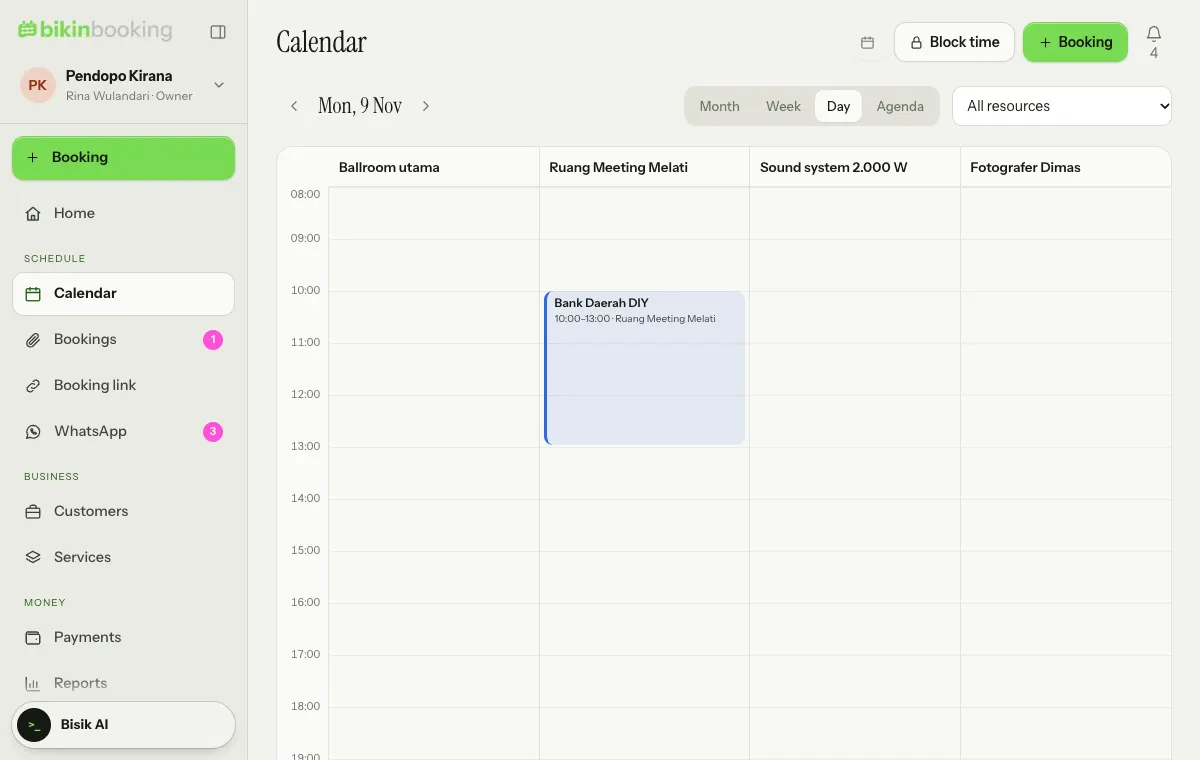
| Day | The front desk: one lane per room, equipment or person, with a time axis |
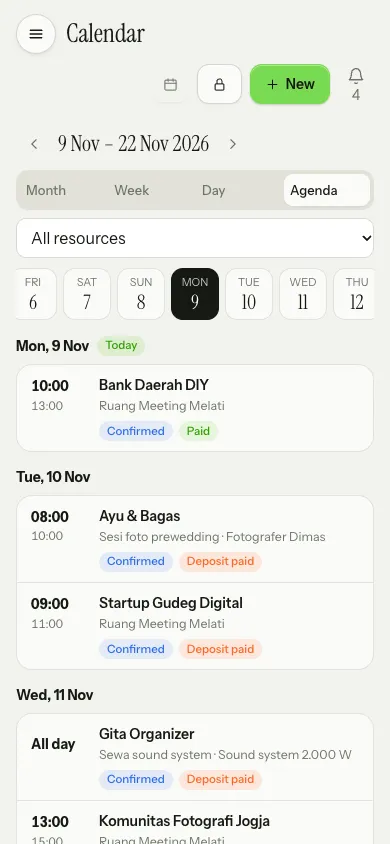
| Agenda | A list by date; the default on phones |
Use the arrows beside the title to move between periods, Today to come back, and All … (it follows your business's wording, such as All event spaces) to filter one room, piece of equipment or person.
Booking from the calendar
In Day view each stock item or team member has its own lane. Tap an empty spot in a lane to open New booking with the time and stock already filled in. Tap a booking card to open its details.
Bookings aren't moved by drag and drop. Use Reschedule on the booking details, so clashes and the rescheduling rules are always checked (see Bookings).
Block time
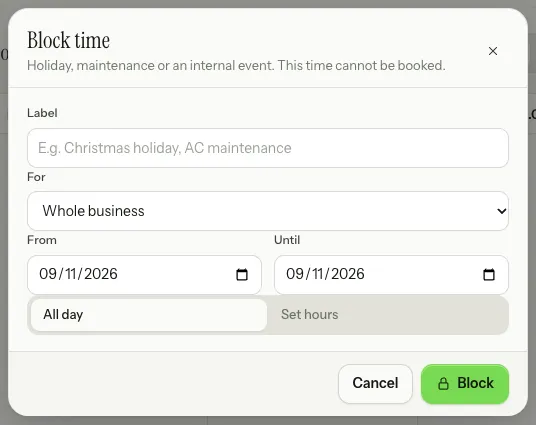
Choose Block time at the top of the Calendar for holidays, maintenance or internal events. Enter a label, choose Whole business or one stock item or team member, the date range, then All day or Set hours. Blocked time can't be booked, including through the booking link.
Weekly days off are set once in Settings › Opening hours: a day without hours is closed.
On phones
On phones the Calendar opens in Agenda view with a date strip you can swipe. The title, buttons and view options stay at the top while the list scrolls.
Sync to your own calendar
The calendar icon at the top of the page opens Calendar feed, read-only iCal links for Google Calendar, Apple Calendar or Outlook. See iCal & special links.
Last updated: