BIKIN BOOKINGFeatures
Bisik in BIKIN BOOKING
Bisik answers questions about your schedule, free slots, bookings, bills and customers within your role, and prepares booking drafts that you check and save yourself.
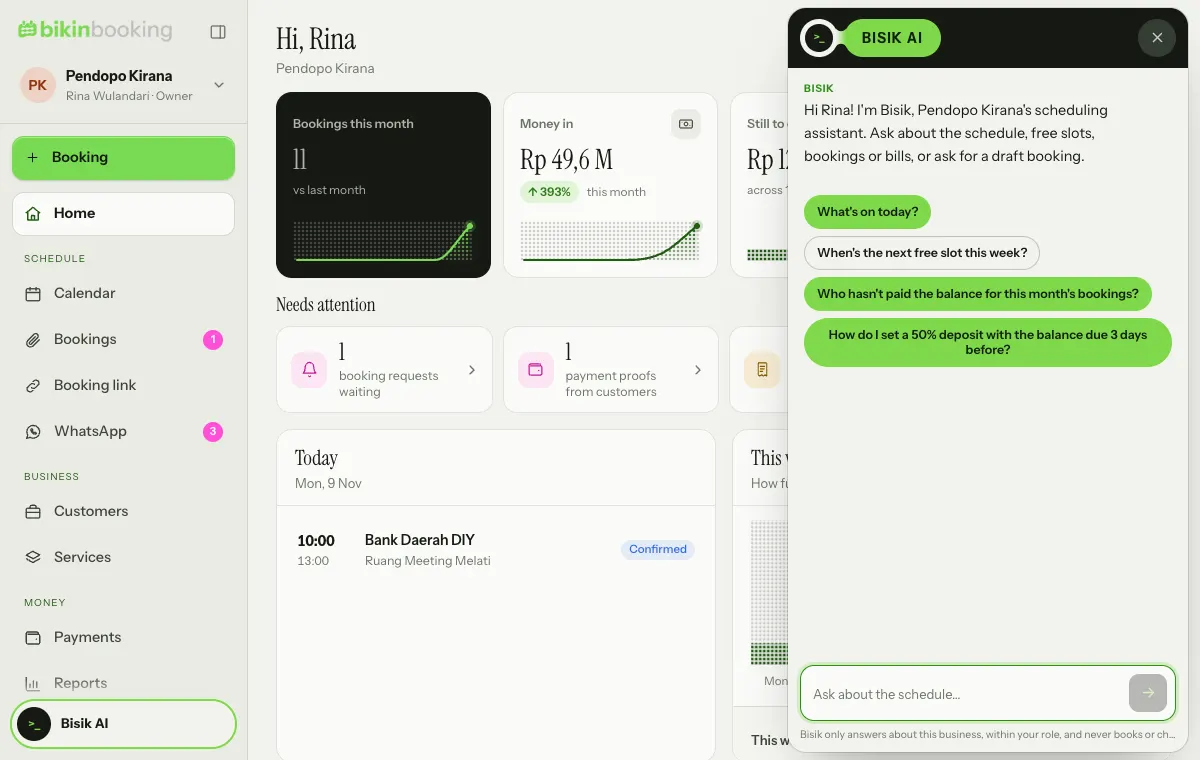
Bisik is the AI assistant in BIKIN BOOKING, on every plan. Open it with the Bisik button at the bottom of the sidebar (on phones, in the sidebar drawer). How many questions you can ask each month depends on your plan: Free is enough to try it, paid plans give more. When this month's allowance is used up, Bisik tells you, and the owner can upgrade the plan in Settings › Plan.
What you can ask
- Schedule: "What's on today?", "Who has the ballroom next Saturday?"
- Free slots: "When is the next free slot for a photo session this week?"
- Bookings and bills: "Who hasn't paid the balance for this month's bookings?", "Details of booking BKG/2026/11/010."
- Services and terms: "How do I set a 50% deposit with the balance due 3 days before?"
- How to use BIKIN BOOKING.
Bisik only reads data your role may see. Staff only get answers about the schedule linked to their account, and without prices if the owner set it up that way.
Booking drafts
Ask Bisik to prepare a booking, for example "book a photo session for Yoga on the 16th at 9". Bisik shows the draft as a card. Open the card to continue in the New booking form, check it, then save it yourself.
Bisik never books, confirms, cancels, marks anything as paid or sends messages by itself. Every decision stays with you.
Privacy
Your question and the data needed to answer it are processed only to answer. Conversations aren't stored on our servers. See the Privacy Policy.
Last updated: