BIKIN SALESFeatures
Reports & export
BIKIN SALES Home and the Reports page for sales, receivables, quotations, customers, products, team and WA capture, plus CSV export, printing, the Coretax export and tax invoice numbers after issuing.
Every number on Home and in Reports only comes from documents you may see. How sales, money received and receivables are worked out is explained in Payments & receivables.
Home
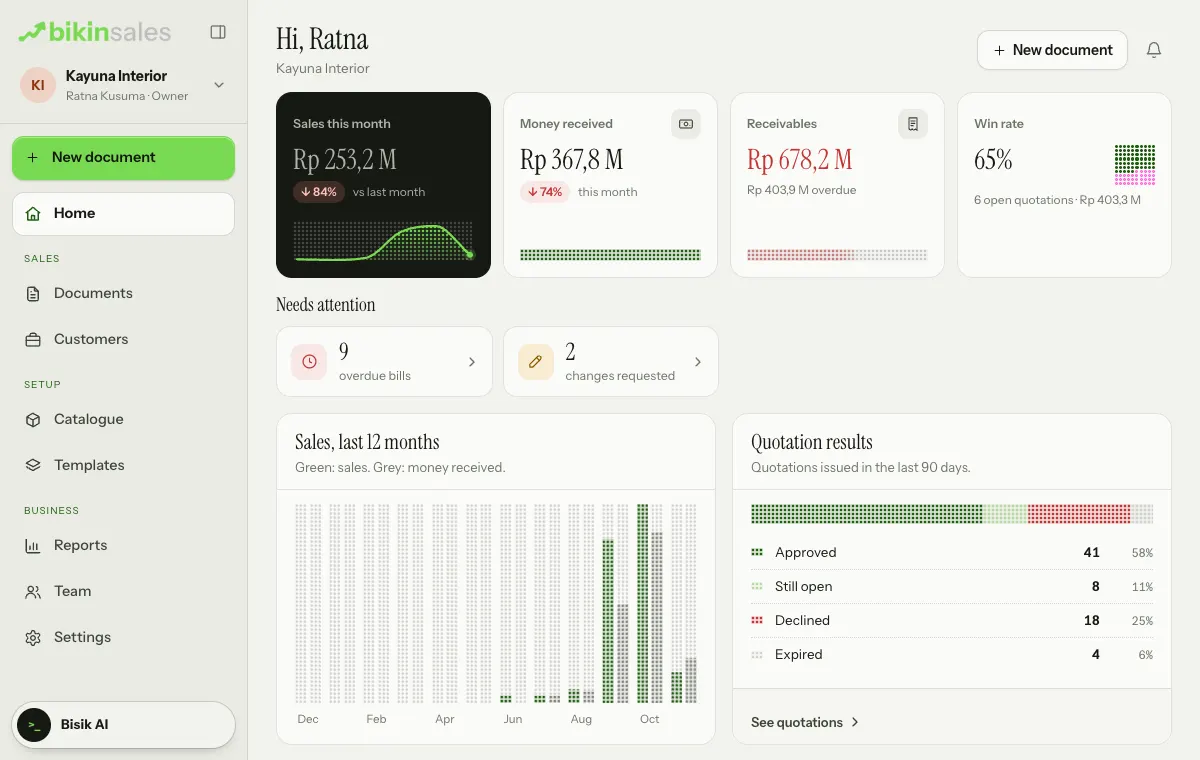
- Key numbers: sales this month (vs last month), money received, receivables with the overdue part, and the quotation win rate. Tap a key number to open its document list.
- Needs attention: overdue bills, new WA captures, customers who say they paid, change requests, quotations about to expire and drafts older than a week. Only the ones with something in them show; tap a tile to go straight to its list.
- Cards: sales over 12 months, quotation results, receivables ageing, top customers, top products and services, and the latest documents, with a link at the foot of each card to its page (for example See quotations or All documents).
Reports
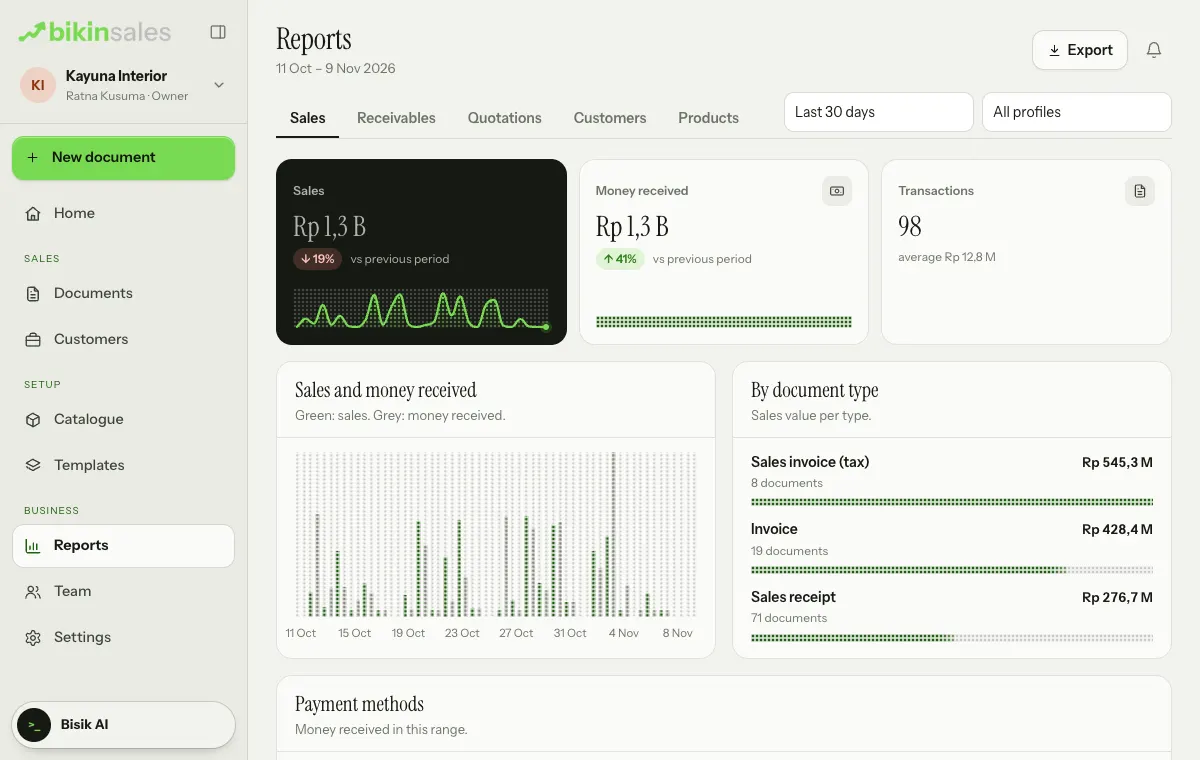
Open Reports in the Business menu group. Pick the period at the top right: Last 7 days, Last 30 days (the default), Last 90 days, This month, Last month, This quarter, This year or Custom range… with from and to dates. With more than one business profile, you can also filter by profile.
| Tab | What's inside |
|---|---|
| Sales | Sales and money received over time, vs the previous period, by document type and by payment method |
| Receivables | As of today: receivables ageing, receivables by customer and unpaid bills |
| Quotations | Win rate, quotations turned into bills, average days to approval, decline reasons, and value submitted vs approved |
| Customers | Customers who bought, top customers and new customers by stage, including from WhatsApp |
| Products | Top products and services, and the goods vs services split |
| Team | Sales and quotations per person, by document owner |
| WA capture | Captures that became customers or documents, and those that led to sales |
On narrow screens, swipe the row of tabs sideways to see the others. On plans without full reports, only the Sales tab is open; the other tabs carry a padlock and are locked with an Upgrade badge.
Export and print
The owner, admins and finance use the Export button at the top right of the Reports page. Every export asks for an email code and is logged.
- CSV: the CSV choices follow the open tab, for example CSV: Sales documents, CSV: Items sold and CSV: Payments on the Sales tab, then receivables, quotations, customers, products and services, and team on their own tabs. The files open neatly in Excel. CSV export is available when your plan includes it.
- Print report: the open tab's report in a clean print layout.
Coretax export
For VAT-registered businesses, output VAT invoices can be exported as an XML file to import into Coretax. This feature is available when your plan includes it, and only for businesses that use Indonesian rupiah (IDR).
- Make sure the business profile is VAT-registered and its NPWP has 16 digits (Settings › Business profile).
- In Reports, choose Export › Coretax export (invoices)….
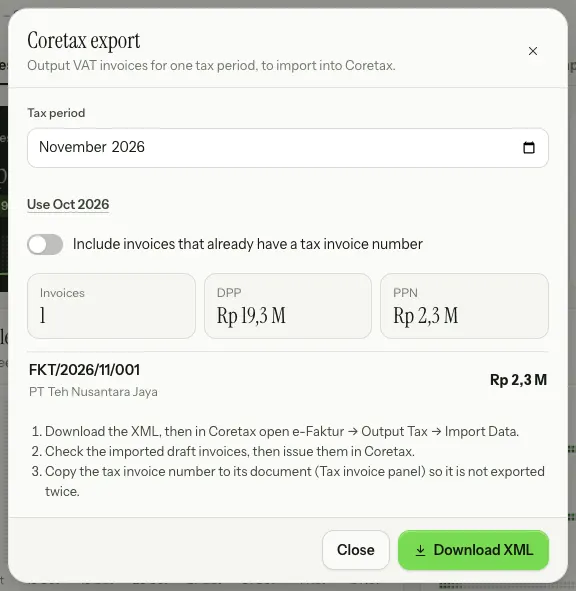
- Pick the Tax period (and the business profile if there's more than one). The sheet shows the number of invoices, the tax base (DPP), the VAT (PPN), the list of invoices, and any invoices skipped with the reason.
- Choose Download XML, then in Coretax open e-Faktur › Output Tax › Import Data.
- Check the imported draft invoices, then issue them in Coretax.
What's exported are the Sales invoice (tax) documents issued in that period that carry VAT. Prices that include VAT are converted to prices before VAT, document discounts are spread proportionally, and units are mapped to Coretax unit codes. Buyers without an NPWP or NIK are exported as buyers without a tax ID; add the tax ID to the customer if they have one.
Tax invoice numbers
The official tax invoice number still comes from Coretax. Once Coretax issues the tax invoice, copy its number to the Tax invoice card in your sales invoice's right-hand panel, then choose Save. This number isn't printed on the document, so it doesn't release signatures. Sales invoices that already have a number aren't included in the next Coretax export unless you turn on Include invoices that already have a tax invoice number on the Coretax export sheet.
VAT calculations and the Coretax export are aids, not tax advice. Check with your accountant or tax adviser before you report.
Last updated: