BIKIN SALESFeatures
Bisik in BIKIN SALES
Bisik is the AI assistant in BIKIN SALES that answers about your sales, receivables, documents, customers and catalogue, prepares document drafts and writes documents from a brief, within what you may see.
Bisik is the AI assistant inside BIKIN SALES. It answers questions about your business's sales, documents, customers and catalogue, and explains how to use BIKIN SALES. Bisik is on every plan, including Free. Questions and documents written by Bisik share one monthly allowance that follows your plan: Free is enough to try it, paid plans give more. When this month's allowance is used up, Bisik tells you, and the owner can upgrade the plan in Settings › Plan.
Opening Bisik
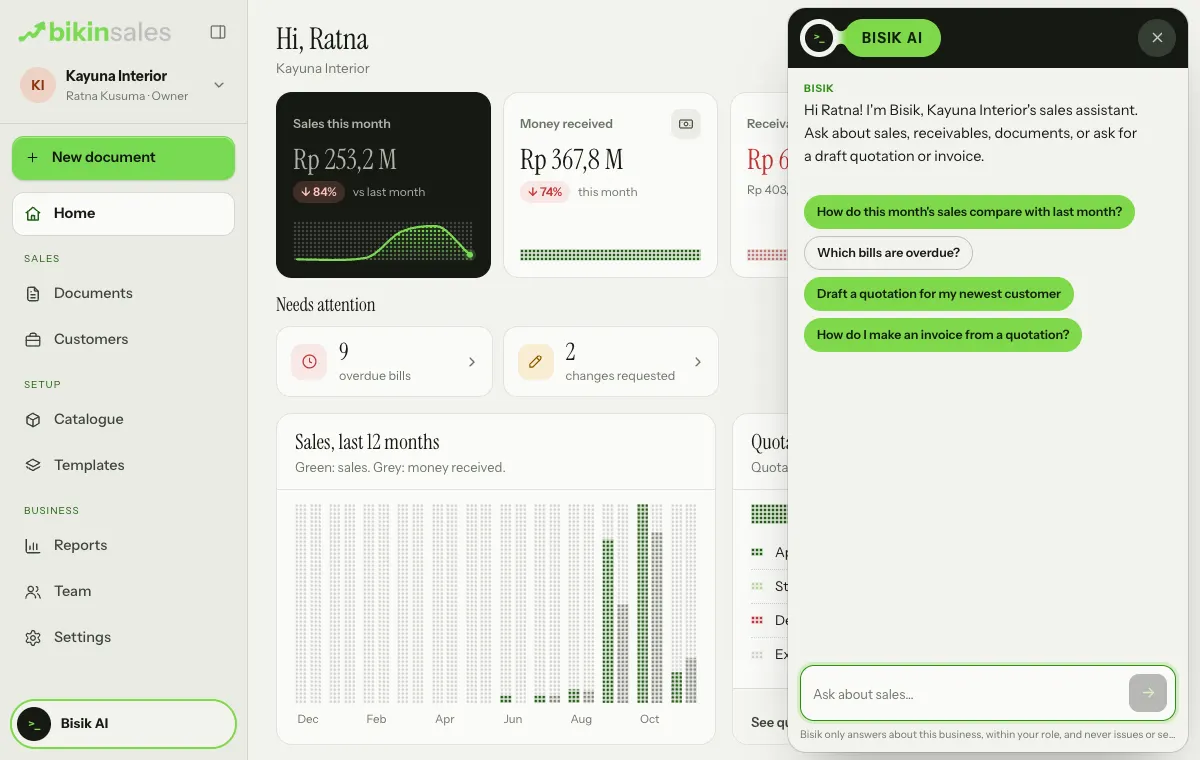
Choose the Bisik AI button at the bottom of the menu. The panel opens from the right edge (full screen on a phone), with a greeting and a few example questions. Tap one of the examples, or type your question in the Ask about sales… box and send it. Close the panel with the × at the top right.
What you can ask
- "Which bills are overdue?"
- "How do this month's sales compare with last month?"
- "Who were the biggest customers in the last 3 months?"
- "What's on invoice INV/2026/11/014?"
- "What's the selling price of the logo design package in the catalogue?"
- "How do I make an invoice from a quotation?"
Document drafts from a chat
Ask Bisik to prepare a document, for example "draft a quotation for my newest customer: 2 logo design packages". The draft shows as a card with its type, customer and items. Bisik never makes documents by itself: you press Make draft on the card, then the editor opens for you to check and issue it.
Write with Bisik
For longer documents such as an SOW, a contract or a partnership offer letter, use Write with Bisik: from the button on the + New document sheet, or from the ⋯ menu on a draft.
- On the + New document sheet, choose the Write with Bisik button next to the search box, then pick the document type or a template.
- Write a short brief: who it's for, what it covers and anything important. An example brief shows in the box.
- Choose Write the draft (on an existing draft: Write). Bisik writes the document's content and arranges its sections, then the draft opens in the editor.
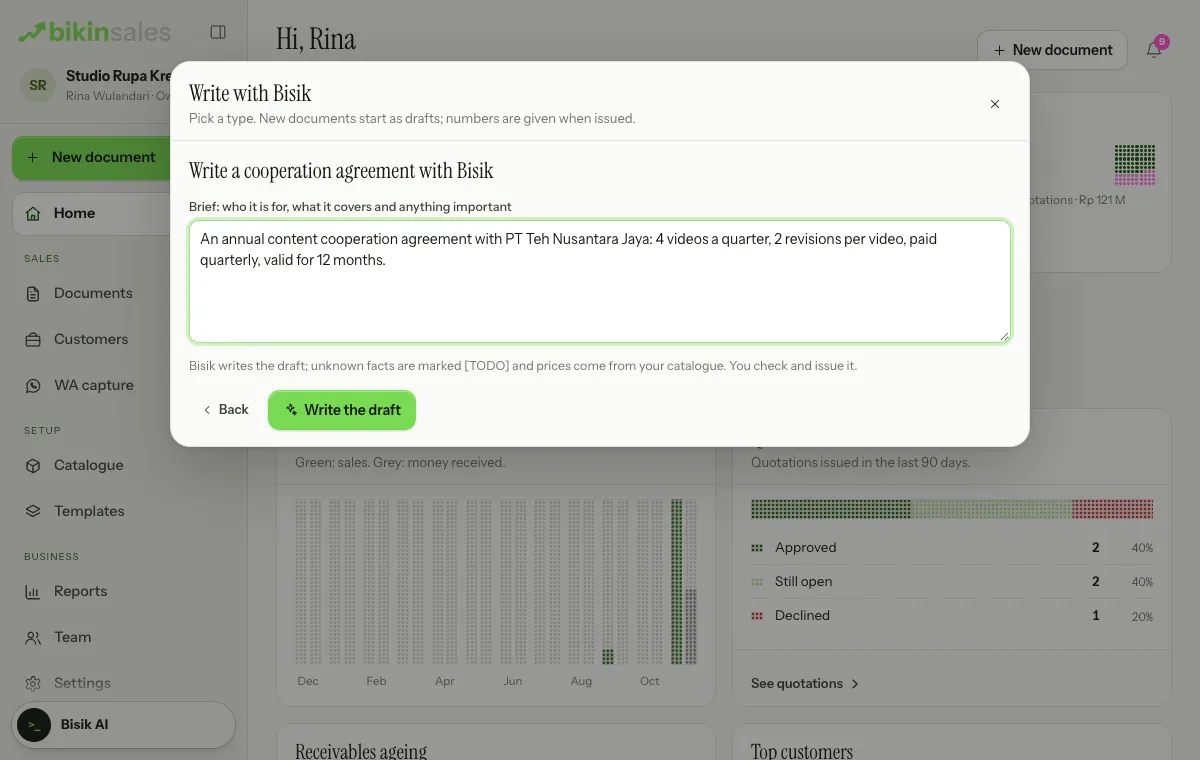
Prices come from your catalogue; Bisik never makes up a price. Facts it doesn't know yet are marked [TODO: …], and the document can only be issued once all of them are filled in. On a draft that already has items, you can choose whether Bisik replaces them with its picks from the catalogue. How much you can use Write with Bisik per month follows your plan.
Within your access
Bisik reads with the same rules as the app: only the documents and customers you may see, and cost prices only if your role may see them. Bisik only reads and prepares drafts. It never issues, sends emails or WhatsApp messages, or marks anything as paid.
Privacy
Conversations with Bisik only live on the open page and aren't stored on our servers. To answer, Bisik sends your question and the data it looks up to the AI model provider, which doesn't use it to train models.
Accuracy
AI answers can be wrong. Check answers and drafts before you use or issue them.
Last updated: