Bikin AsetFeatures
Maintenance & damage reports
Set service schedules per asset, record maintenance and its cost, report damage from the team, then follow it up until the asset is good again.
Maintenance gathers the service schedules and maintenance records of every asset you may see. The Schedule tab is grouped into Overdue, This week, This month and Later.
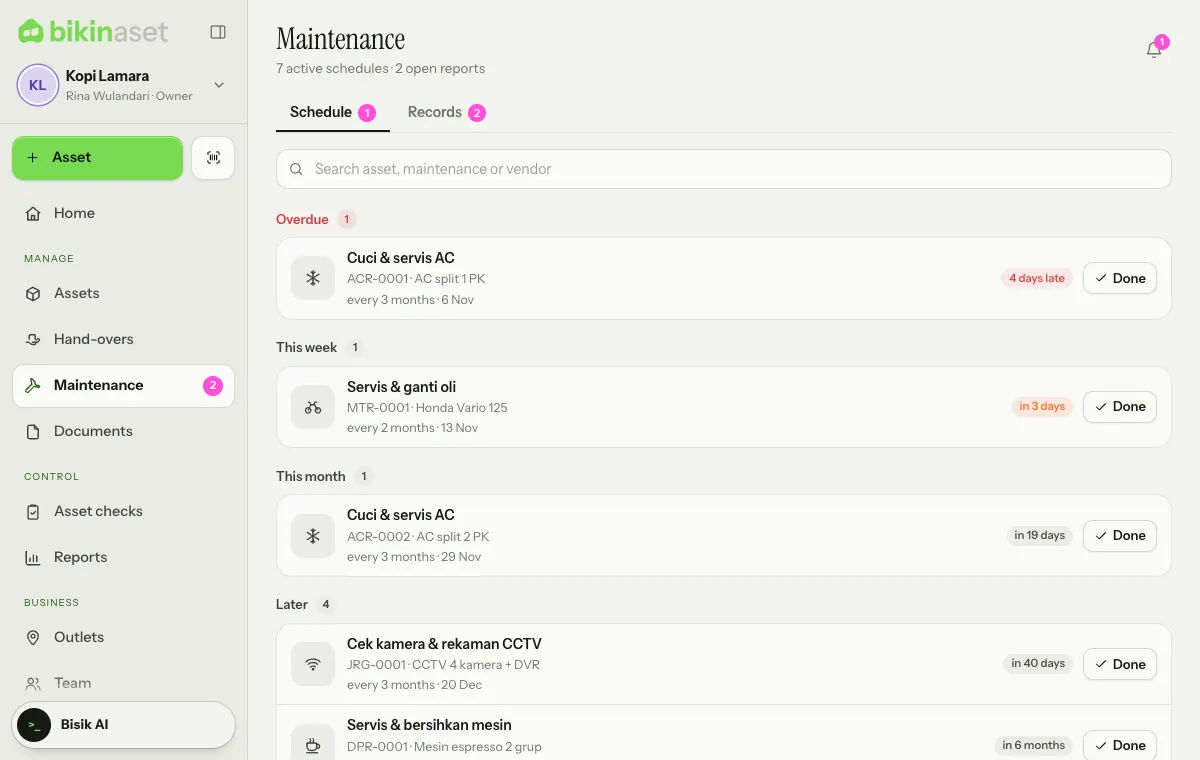
The Records tab holds services, repairs, inspections and replaced parts with their costs, with new damage reports and repairs in progress at the top. The Reports and Repairing filters show only the open ones.
Maintenance schedules
Schedules are set per asset. When you record a new asset, its category's default maintenance is already ticked, such as an AC cleaning and service every 3 months for air conditioners or a service and oil change every 2 months for motorbikes.
To add or change a schedule, open the asset card and its Maintenance tab:
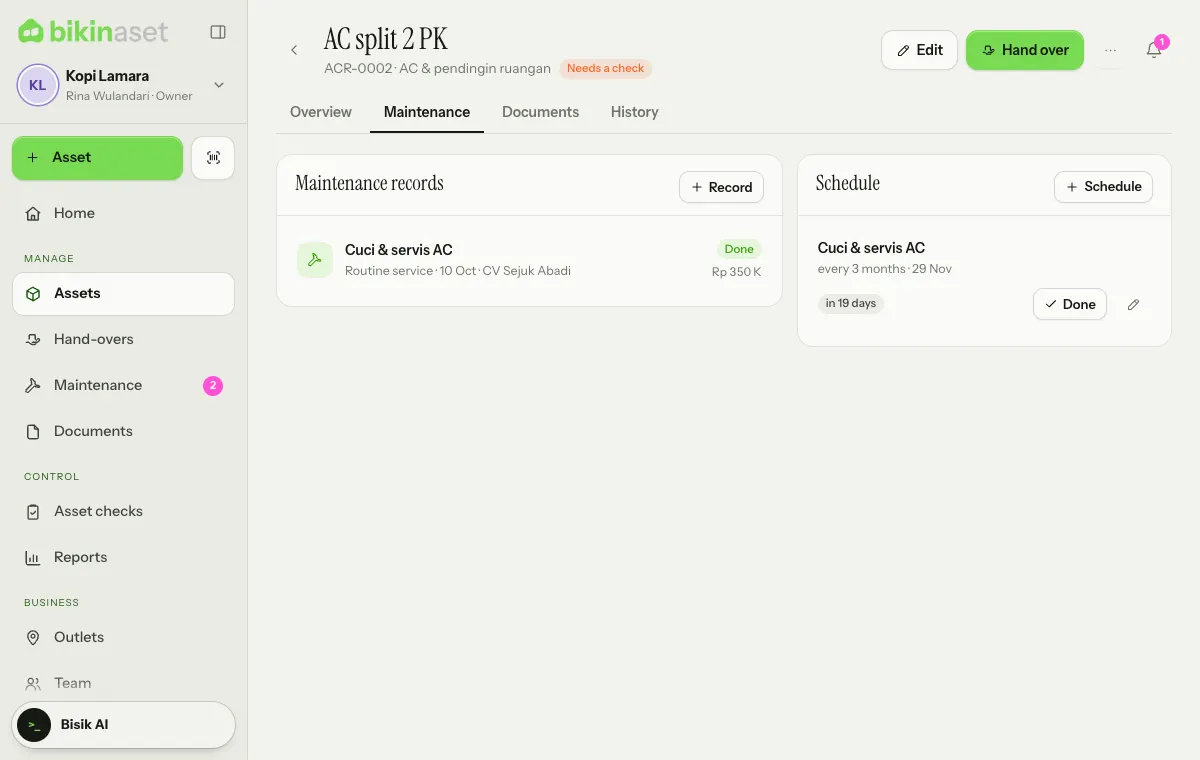
- Choose + Schedule, or tap a suggestion from its category.
- Fill in the Maintenance name, pick Repeats: Regularly (fill in Every (months)) or Just once.
- Fill in the Next date, then Save.
Schedules due this week and overdue ones show up in Needs attention on Home and reach the bell every morning.
Recording maintenance
When a service is done, choose Done on its schedule row (on the Maintenance page or the asset card).
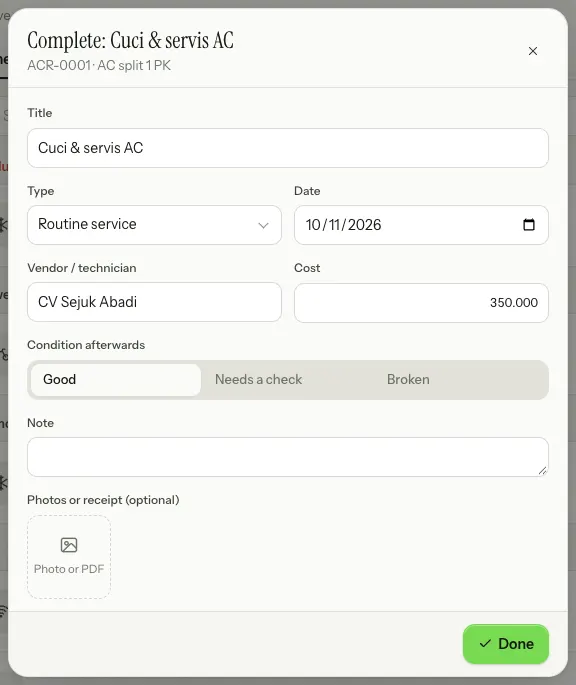
Fill in the Date, Vendor / technician, Cost, Condition afterwards and Note, add photos or the receipt if you have them, then choose Done. The next date moves along by the schedule's interval from that date, for example three months later.
Maintenance outside a schedule is recorded from the asset card: the Maintenance tab, then + Record. Pick the Type: Routine service, Repair, Inspection or Part replaced. For a repair that isn't finished yet, choose Still in progress; the asset shows as Under repair until the record is completed.
Maintenance costs add up on Home and in Reports by month, category, asset and vendor. Costs are only shown to roles that may see values.
Reporting damage
Anyone who can see an asset, including staff for the assets they hold, can report damage. Open the asset card (or scan its label), choose ⋯, then Report damage.
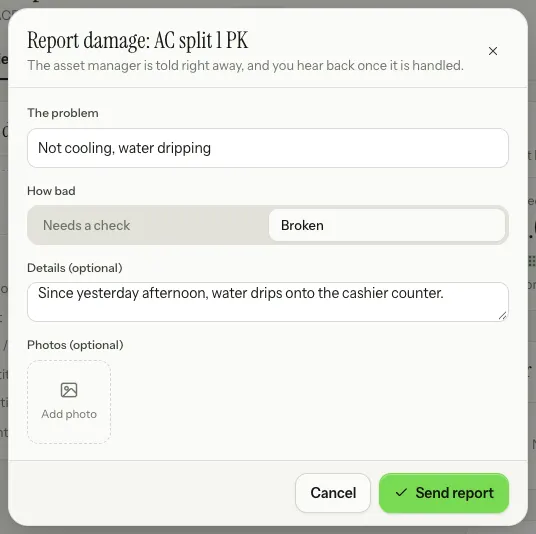
Fill in The problem, pick How bad (Needs a check or Broken), add details and photos if you have them, then choose Send report. The asset's condition changes too, and the asset manager gets a notification.
Following up a report
New reports show in the Needs attention tiles, in the bell and at the top of the Records tab. Tap a report to open it.
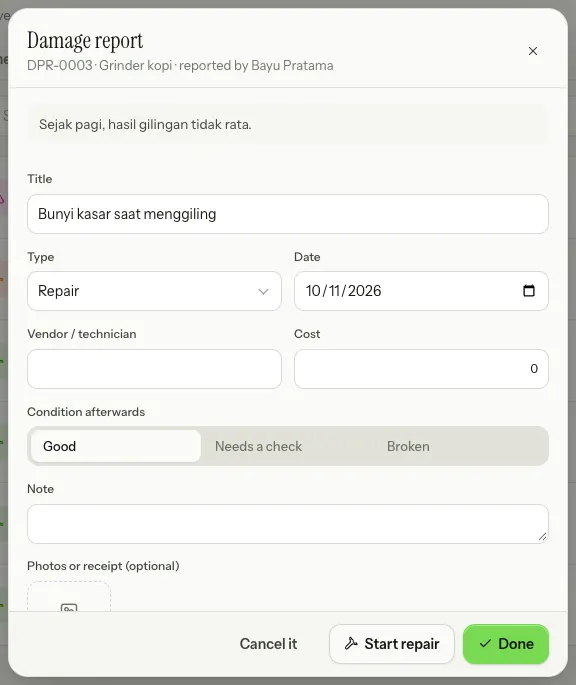
- Start repair: the asset shows as Under repair and the reporter is told.
- Done: fill in the vendor, cost and Condition afterwards; the asset goes back to Available or to its holder.
- Cancel it: for a report that turns out to need no follow-up.
Who can do what
Owners, admins and asset managers (in their locations) set schedules, record maintenance and follow up reports. Finance sees everything without editing. Every role can report damage for assets they may see.
Last updated: