Bikin AsetFeatures
Documents & expiry dates
Keep vehicle registrations and tax, ownership books, roadworthiness tests, insurance, warranties, certificates, permits and other documents per asset, with expiry dates and reminders before they run out.
Documents gathers the documents of every asset you may see, with expired and soon-to-expire ones at the top. No more registrations renewed late or warranties missed.
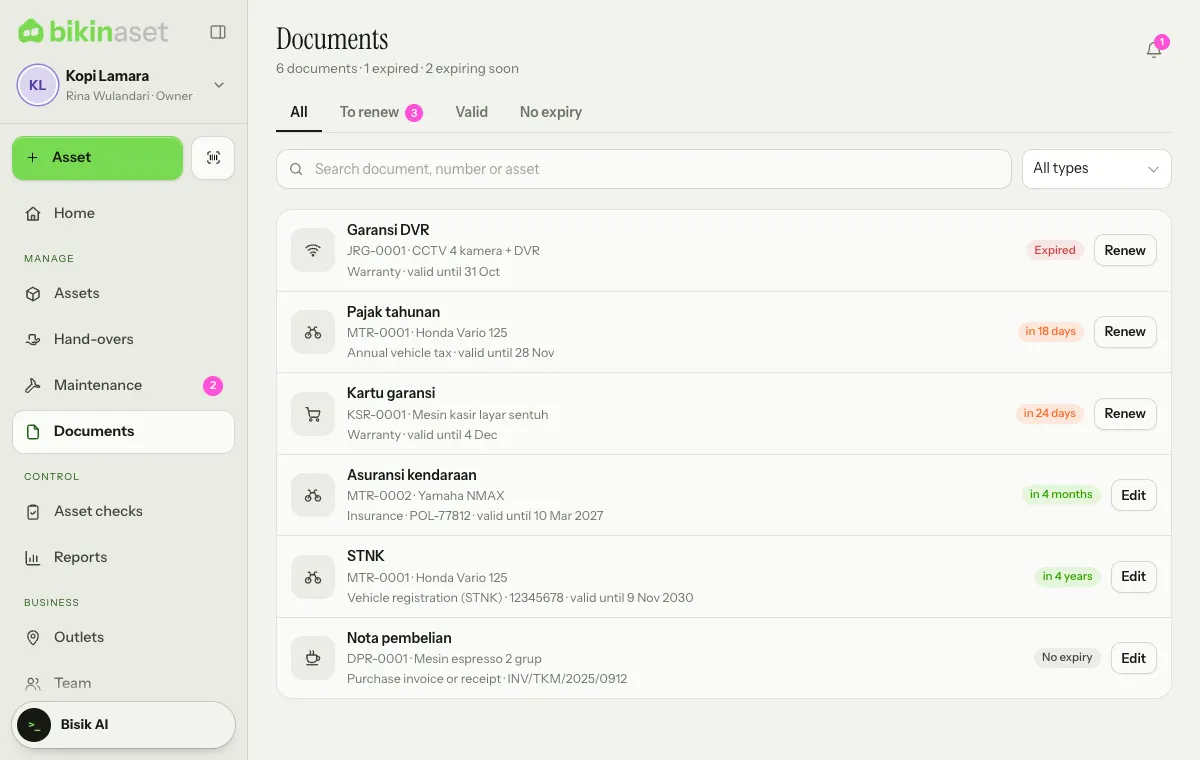
The To renew tab holds documents that have expired or expire soon, Valid the ones that are fine, and No expiry documents without an end date, such as an ownership book or a purchase receipt. Search by document name, number or asset, and filter by type with All types.
Document types
Vehicle registration (STNK), Annual vehicle tax, Vehicle title (BPKB), Roadworthiness test (KIR), Insurance, Warranty, Certificate, Permit, Property tax (PBB), Calibration certificate, Purchase invoice or receipt, Contract or agreement, Manual and Other.
For types that usually last a fixed time, such as annual vehicle tax (12 months) or vehicle registration (5 years), Valid until fills in by itself from the issue date. You can still change it.
Adding a document
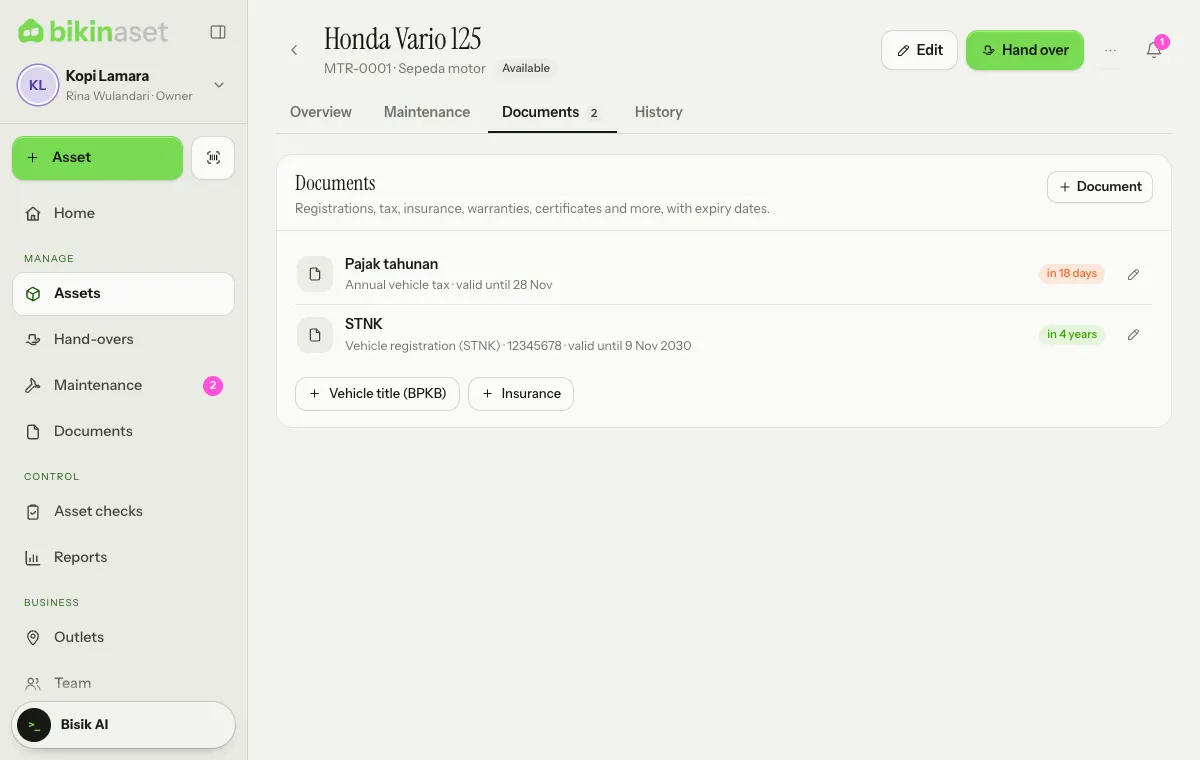
Open the asset card and its Documents tab. Choose + Document, or tap one of the usual documents suggested for its category, such as the ownership book and insurance for a motorbike.
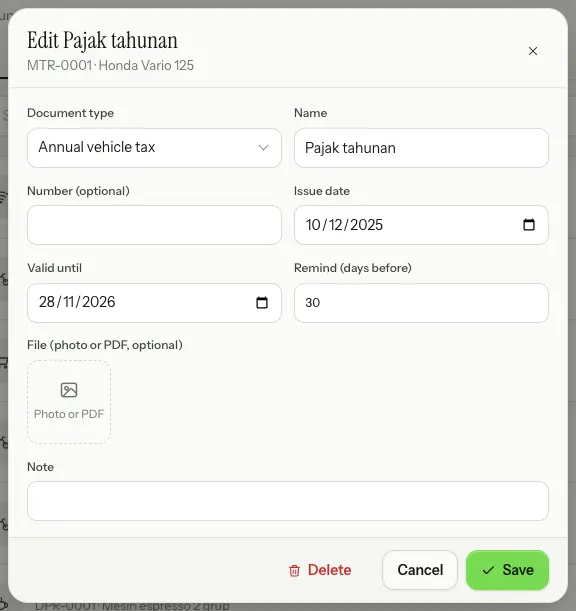
Fill in the Document type, Name, Number (optional), Issue date, Valid until and Remind (days before), attach a photo or PDF of the document if you have one, then choose Save.
Reminders and renewals
A document becomes Expiring soon from its reminder window, 30 days before expiry by default. The owner or an admin sets the default for new documents in Settings › Business › Reminders; each document can have its own number of days.
Documents that expire soon or have expired show in the Needs attention tiles on Home and reach the bell of the people managing the asset every morning. An email summary is available on paid plans, see Notifications & reminders.
Once a document has been renewed, choose Renew on its row and change Valid until (and the file if there's a new one).
Warranties can also be recorded on the asset itself with Warranty until. Assets whose warranty ends within 30 days show up in Needs attention.
Who can do what
Owners, admins and asset managers add, renew and delete documents. Finance sees all of them, and staff see the documents of the assets they hold.
Last updated: