Bikin AsetFeatures
Locations & categories
Set up where assets live (outlets, branches, storerooms, down to rooms inside them), categories with codes, useful life, specs and default maintenance, and your business profile, currency and asset code rules.
Locations
Locations show where every asset is: offices, outlets, storerooms, kitchens and workshops, staff homes, through to project sites. The menu is named after your type of business, such as Outlets, Branches, Sites, Fields or Locations.
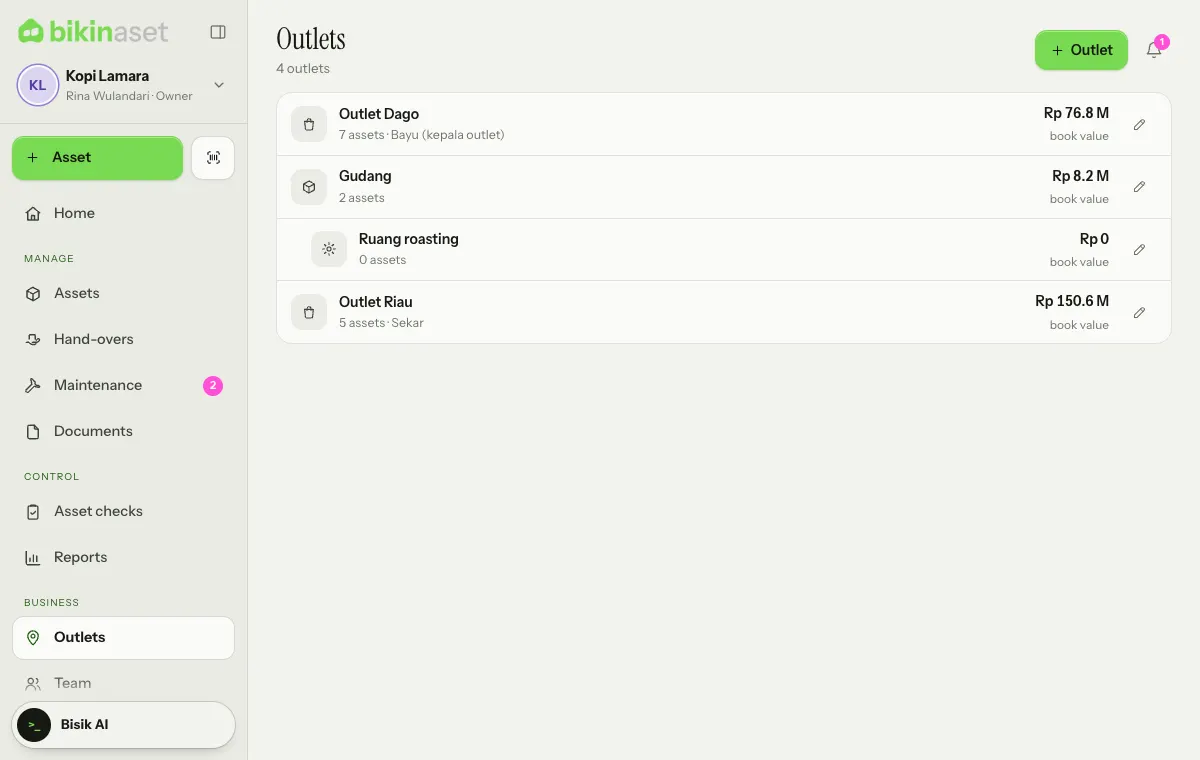
Each location shows its number of assets, broken assets, person in charge and estimated book value. Tap a location to see the assets there, including those in the rooms inside it.
The owner and admins add locations with the button at the top of the page:
- Fill in the Name, such as Dago outlet, Back storeroom or Meeting room.
- Pick the Type (Outlet or shop, Office, Storeroom, Kitchen or workshop, Room, Project site or land or Other).
- If this location is a room inside another one, pick its parent in Part of (optional), such as Head office › Meeting room.
- Fill in the Person in charge and Address (optional), then Save.
Locations no longer in use can be switched off with Active (used for new assets). Only locations without assets or rooms inside can be deleted. The number of locations follows your plan.
Categories
Categories live in Settings › Categories. Each category brings:
- a Code of 2–5 letters for asset codes, such as KMP for computers and MTR for motorbikes;
- a Useful life and Residual value (% of price) for the estimated book value;
- Spec fields, such as plate, frame and engine numbers for vehicles;
- Default maintenance offered when a new asset is recorded;
- Usual documents, suggested on the asset's Documents tab.
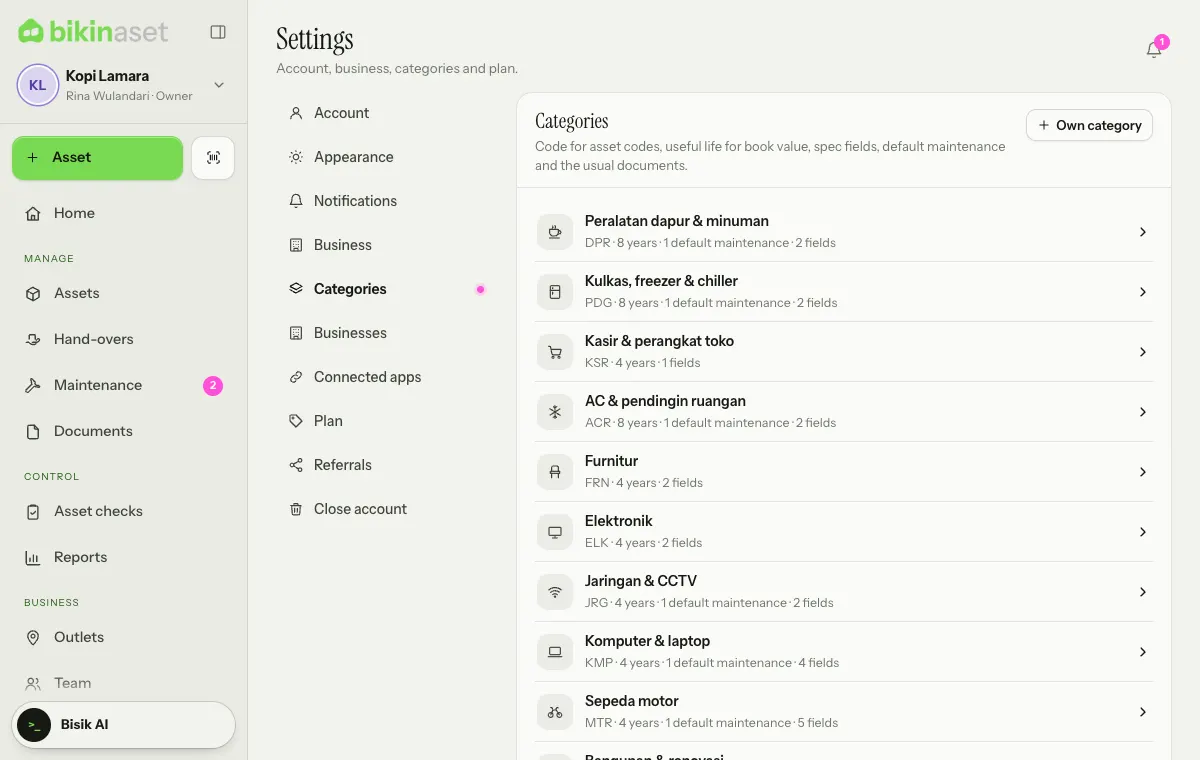
Add more categories from Add from the category library… (such as Cars & vans or Generators & power), or make your own with Own category. Tap a category to edit it. Only categories without assets can be deleted.
Useful life offers the tax asset groups as suggestions: Group 1 · 4 years, Group 2 · 8 years, Group 3 · 16 years, Group 4 · 20 years, non-permanent building 10 years, permanent building 20 years, or not depreciated for land. Official tax is still worked out in Bikin Fin or by a consultant.
Business profile and asset codes
Settings › Business (owner and admins) holds the Business name, Type of business, Time zone (WIB, WITA or WIT), phone, email, city, website, tax ID (optional), address and logo.
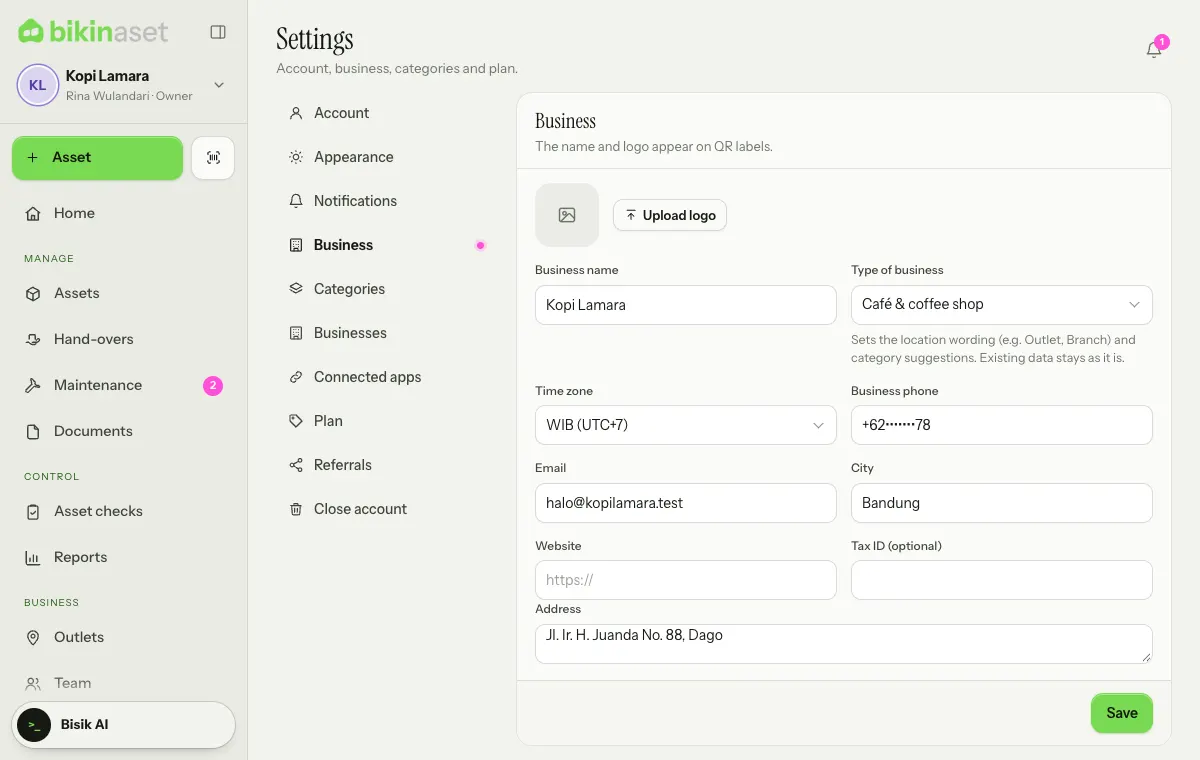
Below it:
- Currency: the currency of every price and value in this business, explained below.
- Asset codes: Per category (KMP-0001) or One sequence with your own Prefix, such as AST-0001. Only new codes follow it; existing codes stay.
- Reminders: how many days before expiry new documents are flagged (30 days by default).
- Prices and value for staff (owner only): Staff may see prices and book value.
Currency
The Currency card sets the currency for purchase prices, book values, sale prices and maintenance costs in this business. Thousand and decimal separators follow that currency, such as Rp 1.250.000 for Indonesian rupiah and RM 1,250.50 for Malaysian ringgit, and amount fields add the thousand separators as you type. A new business gets the currency of the country it signs up from, and extra businesses in a group follow the main business.
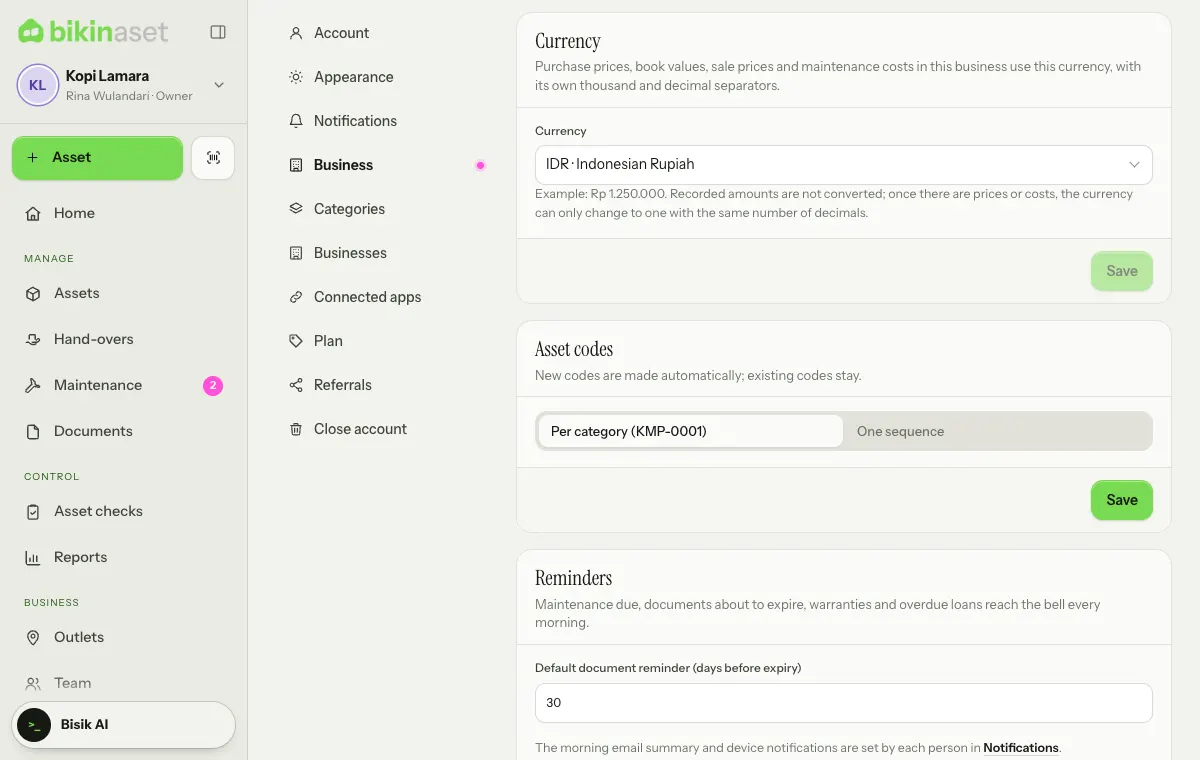
- Only the owner changes it: pick a currency in the list (type in the search box to find it), then Save and Change in the confirmation. Admins see the card with Only the owner changes it.
- Until there are prices or costs, you can change the currency freely. After that it can only change to a currency with the same number of decimals, because recorded amounts are never converted.
- Prices in an import file are read with this currency's thousand and decimal separators.
- Bikin Aset plan prices, bills, coupons and referral commission stay in rupiah.
Last updated: