Bikin AsetFeatures
Connected apps
Connect Bikin Aset to BIKIN AI and BIKIN SIGHT so they can read summaries of your assets, value, maintenance and documents, without tax IDs, document numbers, serial numbers, receipts, photos or notes.
Connected apps lets other BIKIN apps read summaries from Bikin Aset. Connect once, with no manual exports or reports. It's available when your plan includes the BIKIN AI and SIGHT connector.
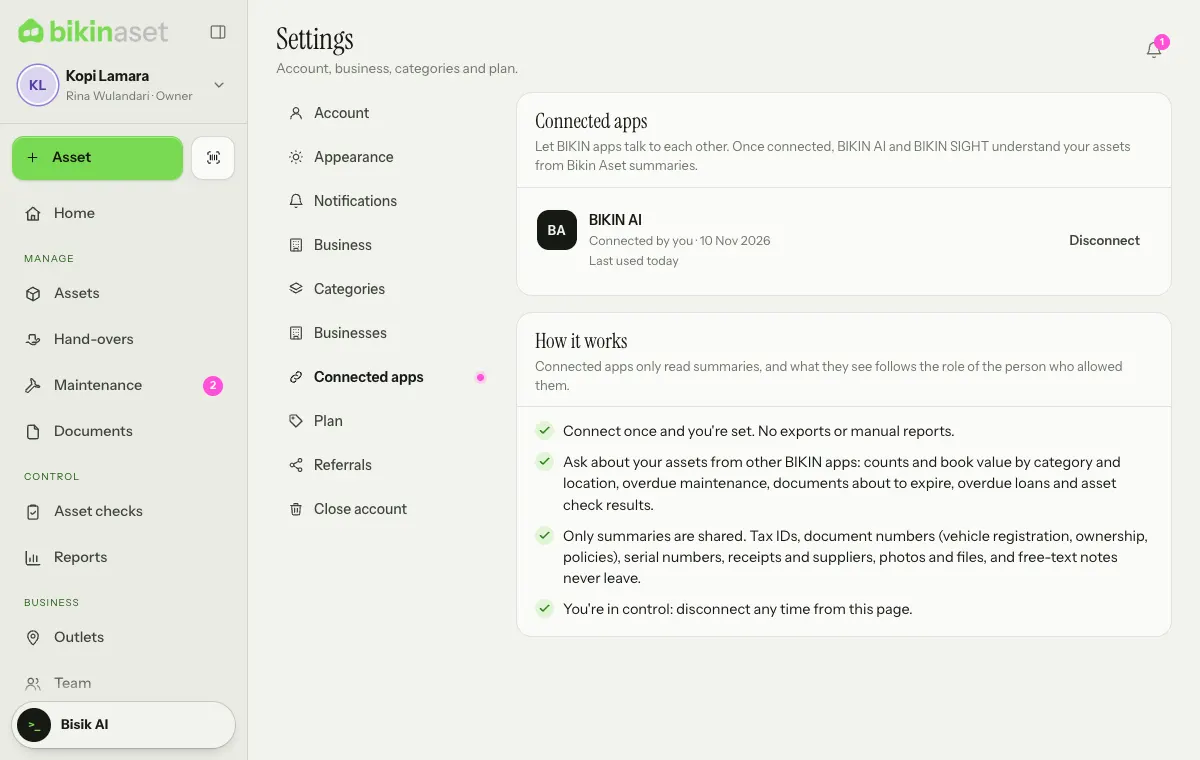
Apps that can connect
| App | What it does |
|---|---|
| BIKIN AI | Ask from a BIKIN AI chat about asset counts and book value by category and location, overdue maintenance, documents about to expire, overdue loans and asset check results |
| BIKIN SIGHT | The executive dashboard can read your asset summaries alongside other BIKIN apps |
Connecting
The connection starts from the app that wants to read the data, not from Bikin Aset.
- Open BIKIN AI (Settings › Konektor) or BIKIN SIGHT, then pick Bikin Aset in its list of connections.
- Sign in to Bikin Aset if you haven't.
- The Connect page explains what can be read and what is never shared. Enter the code from your email if asked.
- Choose Allow, or Decline if you change your mind.
Only an owner or admin can connect an app. What it sees follows the role of the person who allowed it, and each business in your group is connected on its own.
What is shared and what isn't
Connected apps only read summaries: your assets (code, name, category, location, condition, status and holder), cost and estimated book value, maintenance schedules and costs, damage reports, asset check results, document and warranty types with their expiry dates, and overdue loans. A connection can't record, move, hand over, dispose of, check or delete anything.
What never leaves through a connection:
- your business's tax ID and address,
- document numbers (vehicle registrations, ownership books, insurance policies, certificates, permits) and serial numbers,
- receipts and invoices, shop or supplier names, and any uploaded photo or file,
- free-text notes on assets, maintenance, hand-overs and checks,
- anyone's email, phone number or sign-in details; holders appear only by the name recorded in the app.
Disconnecting
Open Settings › Connected apps. Choose Disconnect and confirm, or disconnect from the connected app. The owner sees every connection of the business; an admin sees their own.
A connection also ends by itself when the person who allowed it is switched off, stops being an owner or admin, or changes their password. Closing your Bikin Aset account disconnects everything.
Last updated: