BIKIN AIAccount & plan
Plans and subscription
How BIKIN AI plans work, daily limits in words, checking today's usage, subscribing with online payment, coupons, and renewals.
Every BIKIN AI account is on one plan. The plan decides which tabs are open, which models you can choose, whether web search is on, and how much you can make each day. Your plan's name shows under your name at the top of the sidebar.
Free and paid plans
- The free plan never ends. New accounts from sign-up start here.
- Paid plans run until a set date. Higher plans give more daily usage, unlock more tabs and switches, and give more live website capacity. Some plans can also hide the BIKIN watermark.
When a paid plan ends and isn't renewed, your account moves to the free plan.
Daily limits in words
Limits are counted per day and reset every day. BIKIN AI shows limits in words, not numbers: plans are compared with each other as standard, more, or the most.
What counts:
| Type | Counted when |
|---|---|
| Messages | You send a question to Bikin AI |
| Images | An image is made in the IMAGE tab (not images for a website or presentation) |
| Voice | You use voice features, such as voice messages |
| Web development | A website is made or changed in the CODE tab |
| Presentations | A presentation is made or changed in the DOC tab |
| Deep research | A research report is finished |
| Motion | A motion is made or changed in the IMAGE tab |
The number of live websites doesn't reset daily: it's your plan's capacity.
Checking today's usage
Open the profile menu, then Settings › Usage. The Plan card shows your plan's name at the top right, how long it runs (for example "Free plan · never ends."), then one row for each limit: Messages, Images, Voice, Web development, Presentations, Deep research, Motion and Web live (your live website capacity).
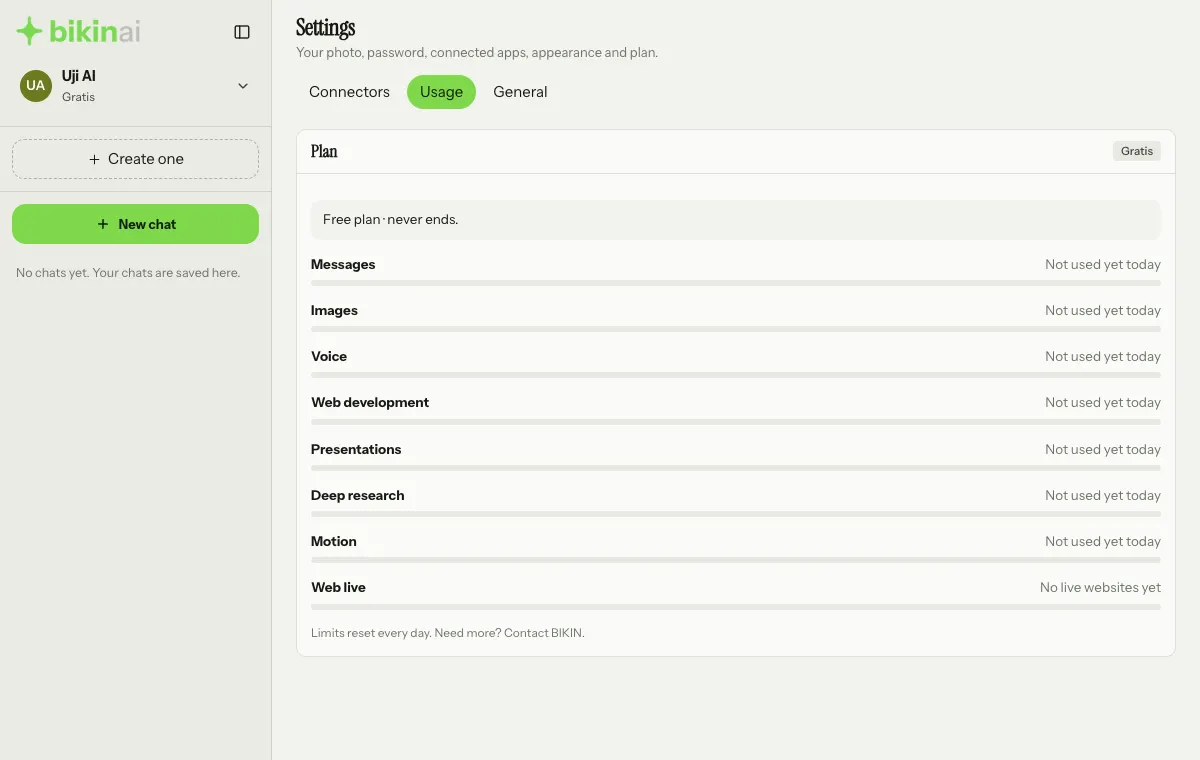
Each row says where it stands in words: "Not used yet today", "Plenty left", "More than half used", "Almost used up" or "Used up for today". A limit that isn't in your plan says "Not in your plan". The Web live row says "No live websites yet", "You can publish more" or "Limit reached".
When a limit runs out, wait until tomorrow or upgrade your plan. While online subscriptions are open, the Manage plan button on that card takes you to the Subscription page.
Subscribing
The Subscription page is in the profile menu at the top of the sidebar (or www.bikin.studio/ai/billing). It has three cards: Your plan (your current plan and how long it runs), Plans and Bills.
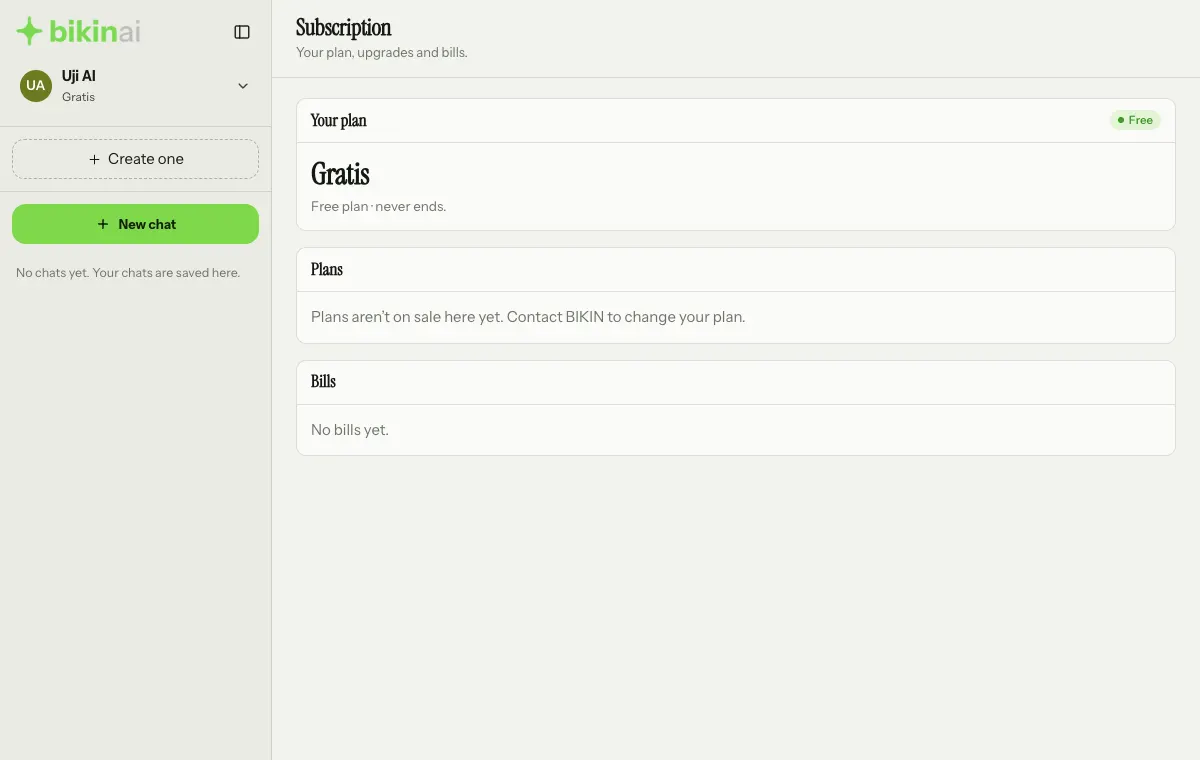
If the Plans card says "Plans aren't on sale here yet", online subscriptions aren't open; contact BIKIN to change your plan. Once they are open:
- Pick a Billing period at the top right of the Plans card: Monthly, 3 months or Yearly.
- Press the Choose button followed by the plan name on the plan you want. The plan you're on has an Extend button instead.
- In the window that opens, check the summary (start, active until and total), then enter the Email for the bill and receipt. Got a promo code? Press Have a coupon code?, enter it, then Apply.
- Press Continue to payment, then pay on the secure online payment page: virtual account, QRIS, e-wallet, retail outlet or PayLater, whichever is offered.
- The plan is active as soon as the payment goes through. You come back to the Subscription page with a Payment received message, and you get a confirmation email.
On the free plan, while online subscriptions are open, the Upgrade now banner at the bottom of the sidebar also takes you straight to the plans. You can close that banner for a day.
Prices are in rupiah and final. Switching plans while a paid plan is running adds its remaining days to the new plan, worth the same amount.
A coupon can't be combined with a referral discount. The bigger discount is used.
Renewals and bills
- Before a paid plan ends, a renewal bill is emailed to you and shown on the Your plan card with a Pay now button. It can still be paid for a few days after the plan ends.
- The Renewal bill switch on the Your plan card turns that automatic bill on or off, and Renewal period sets its length.
- The Bills card lists all your bills with their status: Waiting for payment, Paid, Expired or Cancelled. A waiting bill can be paid with Pay. An unpaid purchase bill can be cancelled: press Cancel on its row, then Cancel bill.
When a plan ends
When your paid plan has ended, BIKIN AI shows a notice with a Renew now button. Until you renew, you are on the free plan.
Questions about payments: start@bikin.studio.
Last updated: