BIKIN SIGHTAccount & plan
Account & sign-in
Set your name, language, appearance and WhatsApp number on the BIKIN SIGHT Account page, sign in with an email or WhatsApp code, sign out, and delete your account.
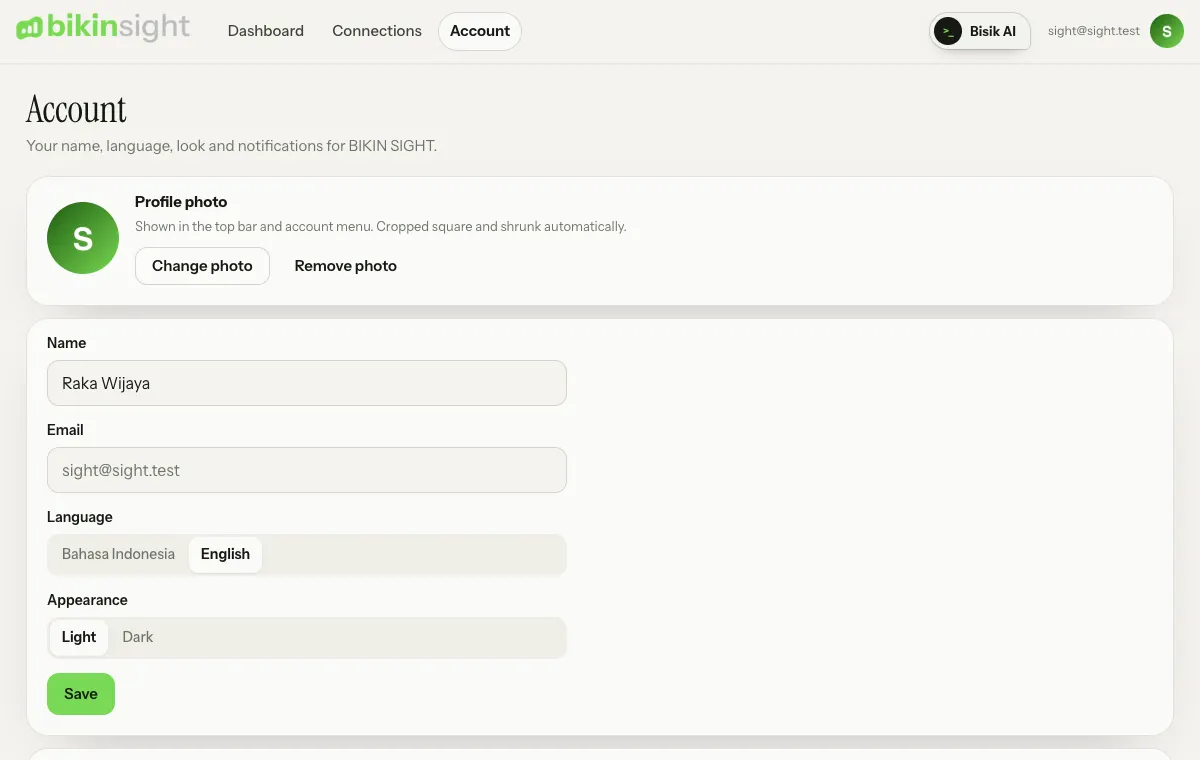
Open the Account page from the menu in the top bar, or choose the avatar button (your initials) in the top bar, then My account. The avatar dropdown also holds Help guide (these docs) and Other apps, which open in a new tab.
Name, language and appearance
- Name: the name BIKIN SIGHT and Bisik use for you.
- Email: the address your sign-in codes go to. It can't be changed in the app; contact BIKIN if you need to.
- Language: English or Bahasa Indonesia. The language you pick applies to your account on every device.
- Appearance: Light or Dark. By default it follows your device's theme, and the switch always shows the theme on screen. Picking the same theme as your device means following the device again. This choice is remembered per device.
Choose Save after changing your name or language.
Profile photo
The Profile photo card at the top of the Account page replaces your initials with a photo in the top bar and account menu. Choose Upload photo, then a JPG, PNG or WebP image; it's cropped square and shrunk automatically. Change photo uses another image, Remove photo goes back to your initials. The photo is deleted with your account.
Sign in with an email code
BIKIN SIGHT doesn't use passwords. Each time you sign in, type your email and enter the 6-digit code we send. The code works for 10 minutes and can be resent after 60 seconds. Too many wrong codes and you start again. Once you're in, that device stays signed in for 30 days.
Sign in with WhatsApp
When BIKIN has turned it on for BIKIN SIGHT, the sign-in page shows Sign in with WhatsApp, and the Account page shows a WhatsApp number card.
Adding your number:
- In Account › WhatsApp number, type your number, then choose Send code.
- If asked, first enter the 6-digit code sent to your email, then choose Continue.
- Enter the 6-digit code sent by WhatsApp, then choose Verify.
The number is now Verified. To sign in, choose Sign in with WhatsApp on the sign-in page, type that number, then enter the code from WhatsApp.
For security, adding, changing (Change) or removing (Remove) a number asks for a code from your email first, unless you've just signed in with an email code. A number can only be on one BIKIN SIGHT account. Signing in with email always still works.
Notifications
On the Account page, the Notifications card sets up the weekly summary: every Monday morning BIKIN SIGHT sends the last 7 days of sales, the lowest cash point and overdue receivables from your connected apps.
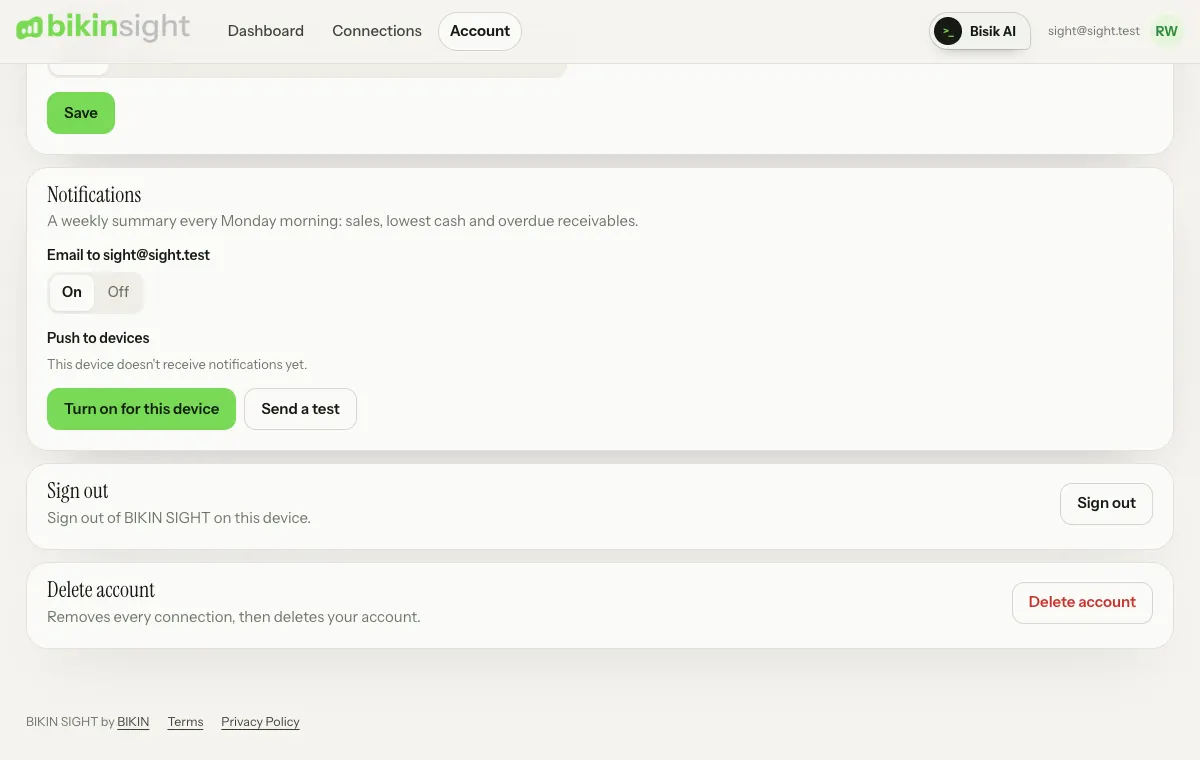
- Email goes to your account address. Pick On or Off; it is on by default.
- Push to devices: tap Turn on for this device and allow it in your browser. Do it on every phone or computer that should get notifications; Turn off on this device stops it. On iPhone, push only works once the app is on your home screen (Share › Add to Home Screen).
- Send a test sends one test notification to your active devices and your email, so you know everything arrives.
- Demo accounts don't send emails or push notifications.
Sign out
In Account, choose Sign out to sign out of BIKIN SIGHT on that device. Lost a device? Contact BIKIN to sign your account out of every device.
Delete your account
In Account, choose Delete account, then confirm. BIKIN SIGHT removes every connection (revoking access in each app), then deletes your account, including any saved WhatsApp number. Your data in Bikin POS, Bikin HR, Bikin Fin and other apps isn't deleted. This can't be undone.
Demo account
The BIKIN team may give you access to a BIKIN SIGHT demo account so you can try the dashboard with sample data. A demo account differs from a normal one:
- it signs in with a password from the BIKIN team, not an email code;
- its demo businesses in Bikin POS, Bikin HR, Bikin Fin and other BIKIN apps are connected and kept connected by BIKIN, and their numbers grow by themselves every day;
- its connections can't be changed, the account can't be deleted, and it has no WhatsApp number.
Forgot the demo password? Ask the BIKIN team for a new one.
Last updated: